Lock File
UiPath.Box.Activities.File.LockFile
The Lock File activity uses the Box Update file API to lock a specified file (File ID) with optional parameters including the lock expiration (Expires At) and file download status (Prevent Download).
After locking the file, the activity outputs a Boolean value to report the current file lock status (File Lock).
How it works
The following steps and message sequence diagram is an example of how the activity works from design time (i.e., the activity dependencies and input/output properties) to run time.
- Complete the Setup steps.
- Add the Box Scope activity to your project.
- Add an activity or run an external process that outputs a
File.Idvalue (e.g., Upload File, Search for Content, etc.). - Add the Lock File activity inside the Box Scope activity.
- Enter a value for the Input property.
- Create and enter a
Booleanvariable for the Output property.-
Your input property values are sent in the Update file API operation request.
-
The operation returns the
Booleanvalue to your output property variable.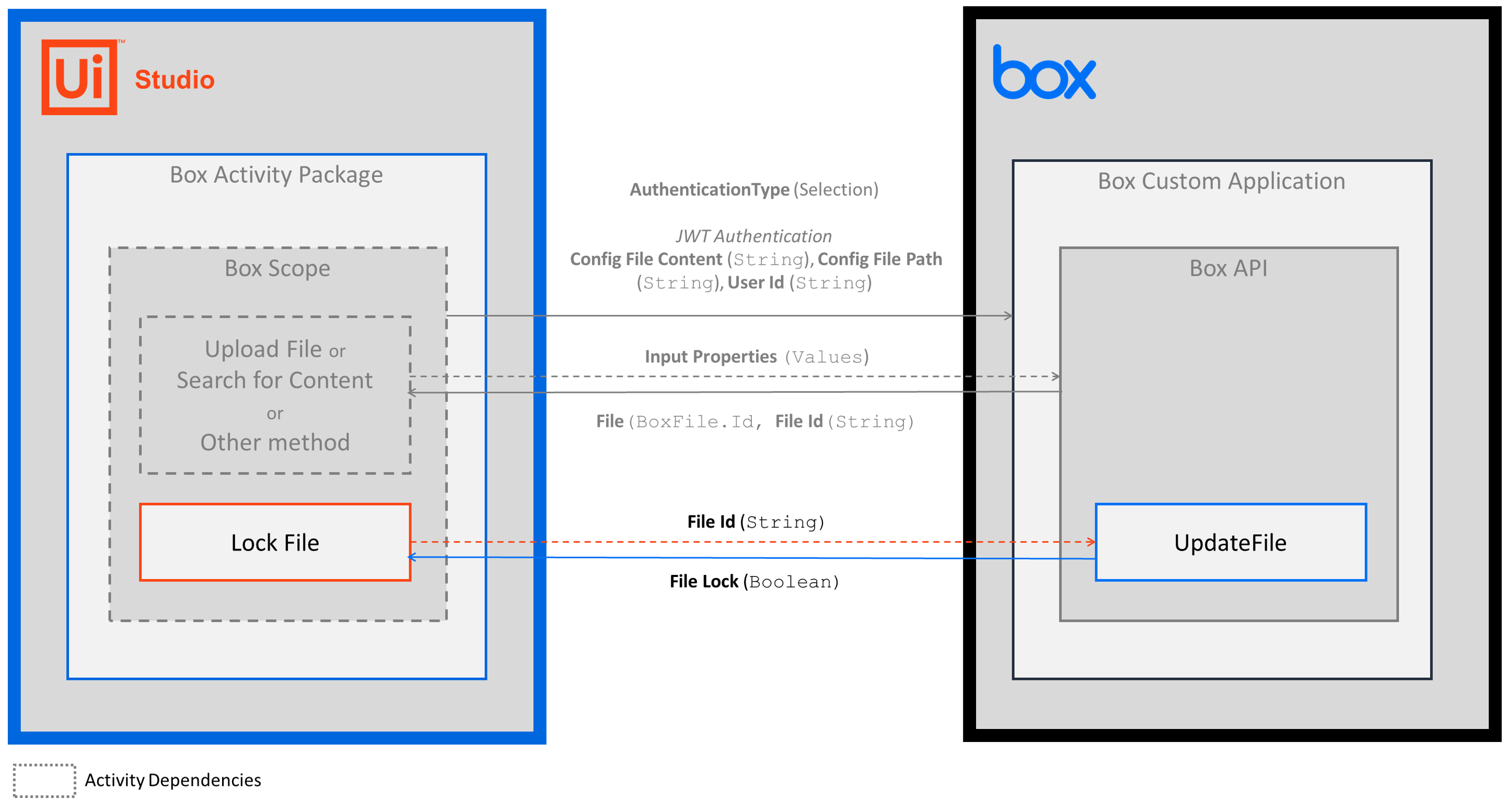
-
Properties
Common
- ContinueOnError - Specifies if you want the activity to continue running when an error is thrown. This field supports only
Booleanvalues. - DisplayName - The display name of the activity. This field supports only
StringsorStringvariables.
Input
- File ID - The ID of the file that you want to lock. This field supports only
StringsorStringvariables. To get the File ID value, add an activity or run an external process that outputs aFile.Idobject (e.g., Upload File, Search for Content, etc.).
Misc
- Private - If selected, the values of variables and arguments are no longer logged at Verbose level.
Options
- Expires At - The date when the lock expires. Enter a
DateTimeorDateTimevariable. Default is to never expire. - Prevent Download - If selected, the file can't be downloaded.
Output
- File Lock - A
Booleanvalue that reports the current file lock status. TheBooleanvalues are:- True - file is locked.
- False - file is unlocked.