Rename Folder
UiPath.Box.Activities.Folder.RenameFolder
The Rename Folder activity uses the Box Update folder API to rename (New Folder Name) a specified folder (Folder Id).
After renaming the file, the activity outputs a BoxFolder object (BoxFolder) that includes the properties of the updated folder.
How it works
The following steps and message sequence diagram is an example of how the activity works from design time (i.e., the activity dependencies and input/output properties) to run time.
- Complete the Setup steps.
- Add the Box Scope activity to your project.
- Add an activity or run an external process that outputs a
Folder.Idvalue (e.g., Create Folder, Search for Content, etc.). - Add the Rename Folder activity inside the Box Scope activity.
- Enter values for the Input properties.
- Create and enter a
BoxFoldervariable for the Output property.-
Your input property values are sent in the Update folder API operation request.
-
The operation returns the
BoxFoldervalue to your output property variable.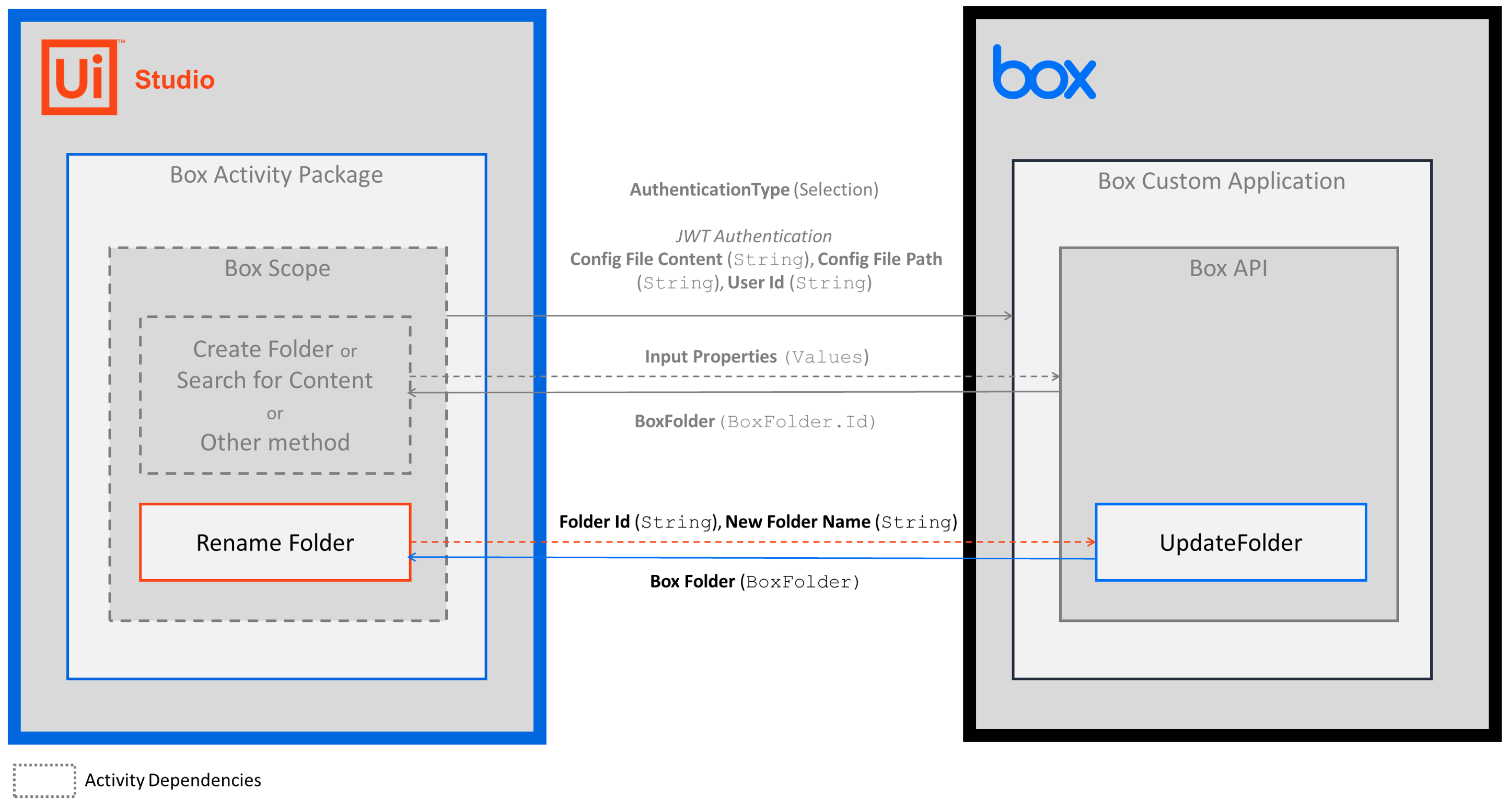
-
Properties
Common
- ContinueOnError - Specifies if you want the activity to continue running when an error is thrown. This field supports only
Booleanvalues. - DisplayName - The display name of the activity. This field supports only
StringsorStringvariables.
Input
- Folder ID - The ID of the folder that you want to rename. This field supports only
StringsorStringvariables. To get the Folder ID value, add an activity or run an external process that outputs aFolder.Idobject (e.g., Create Folder, Search for Content, etc.). - New Folder Name - The new name for the existing folder. This field supports only
StringsorStringvariables.
Misc
- Private - If selected, the values of variables and arguments are no longer logged at Verbose level.
Output
- Box Folder - The
BoxFolderobject that includes the folder properties. This field supports onlyBoxFoldervariables. TheBoxFolderobject includes multiple properties that you can use in other activities.