Update Channel
Overview
The Update Channel activity calls the Microsoft Graph UpdateChannel API to update the name and description (Name,Description) of a specified channel (Channel) in a team (TeamId).
How It Works
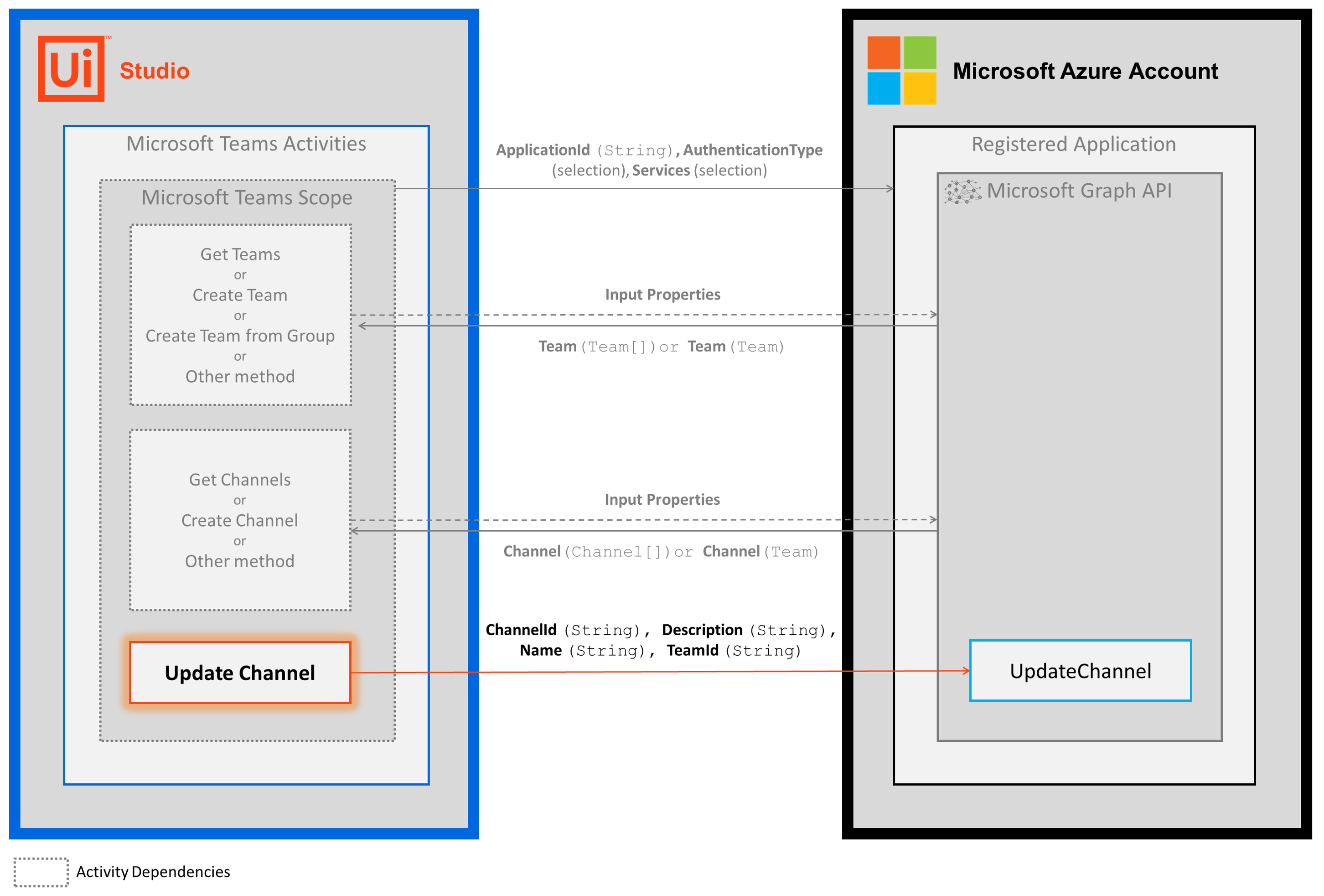
The following steps and message sequence diagram is an example how the activity works from design time (i.e., the activity dependencies and input/output properties) to run time.
- Complete the Setup steps.
- Add the Microsoft Teams Scope activity to your project.
- Add an activity or run an external process that outputs a
Team.Idvalue (e.g., Get Teams) AND an activity or external process that outputs aChannel.Idvalue (e.g., Get Channels). - Add the Update Channel activity inside the Microsoft Teams Scope activity.
- Enter values for the Input properties.
- Run the activity.
-
Your input property values are sent to the UpdateChannel API.
-
Properties
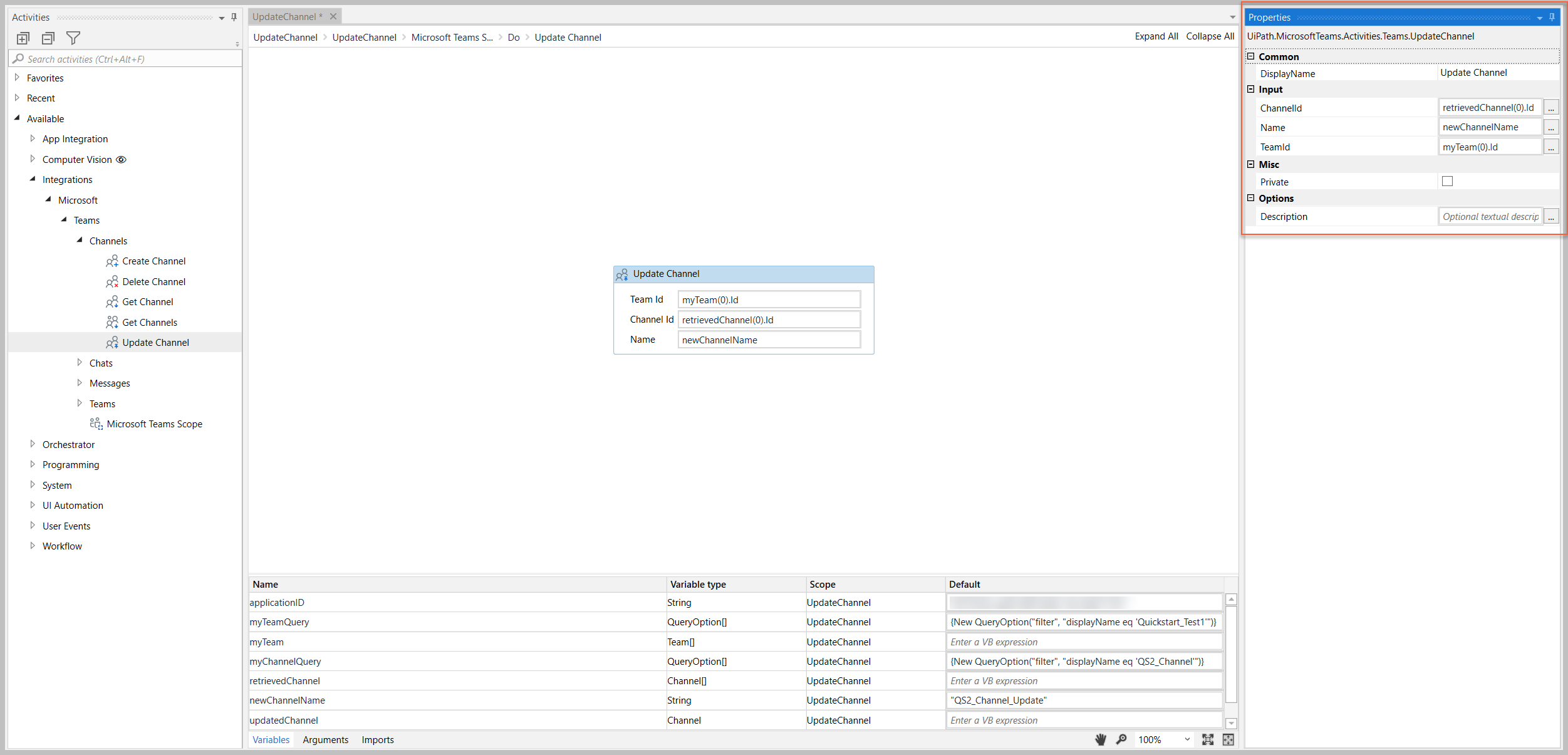
The values for the following properties are specified when adding this activity to your project in UiPath Studio.
Common
DisplayName
The display name of the activity.
| Attributes | Details |
|---|---|
| Type | String |
| Required | Yes |
| Default value | Update Channel |
| Allowed values | Enter a String or String variable. |
| Notes | N/A |
Input
ChannelId
The Id of the Channel object that you want to update.
| Attributes | Details |
|---|---|
| Type | String |
| Required | Yes |
| Default value | Empty |
| Allowed values | Enter a String or String variable. |
| Notes | To get the Channel.Id value, use an external process or activity that includes the Channel.Id value in its output (e.g., Get Channels or external API call) |
Name
The new display name for the channel.
| Attributes | Details |
|---|---|
| Type | String |
| Required | Yes |
| Default value | Empty |
| Allowed values | Enter a String or String variable. |
| Notes | This value is displayed in the Microsoft Teams app. |
TeamId
The Id of the Team object that contains the channel you want to update.
| Attributes | Details |
|---|---|
| Type | String |
| Required | Yes |
| Default value | Empty |
| Allowed values | Enter a String or String variable. |
| Notes | To get the Team.Id value, use an external process or activity that includes the Team.Id value in its output (e.g., Get Teams or external API call) |
Misc
Private
If selected, the values of variables and arguments are no longer logged at Verbose level.
| Attributes | Details |
|---|---|
| Type | Checkbox |
| Required | No |
| Default value | Not Selected |
| Allowed values | Selected or Not Selected |
| Notes | N/A |
Options
Description
The new description for the channel.
| Attributes | Details |
|---|---|
| Type | String |
| Required | No |
| Default value | Empty |
| Allowed values | Enter a String or String variable. |
| Notes | N/A |
Example
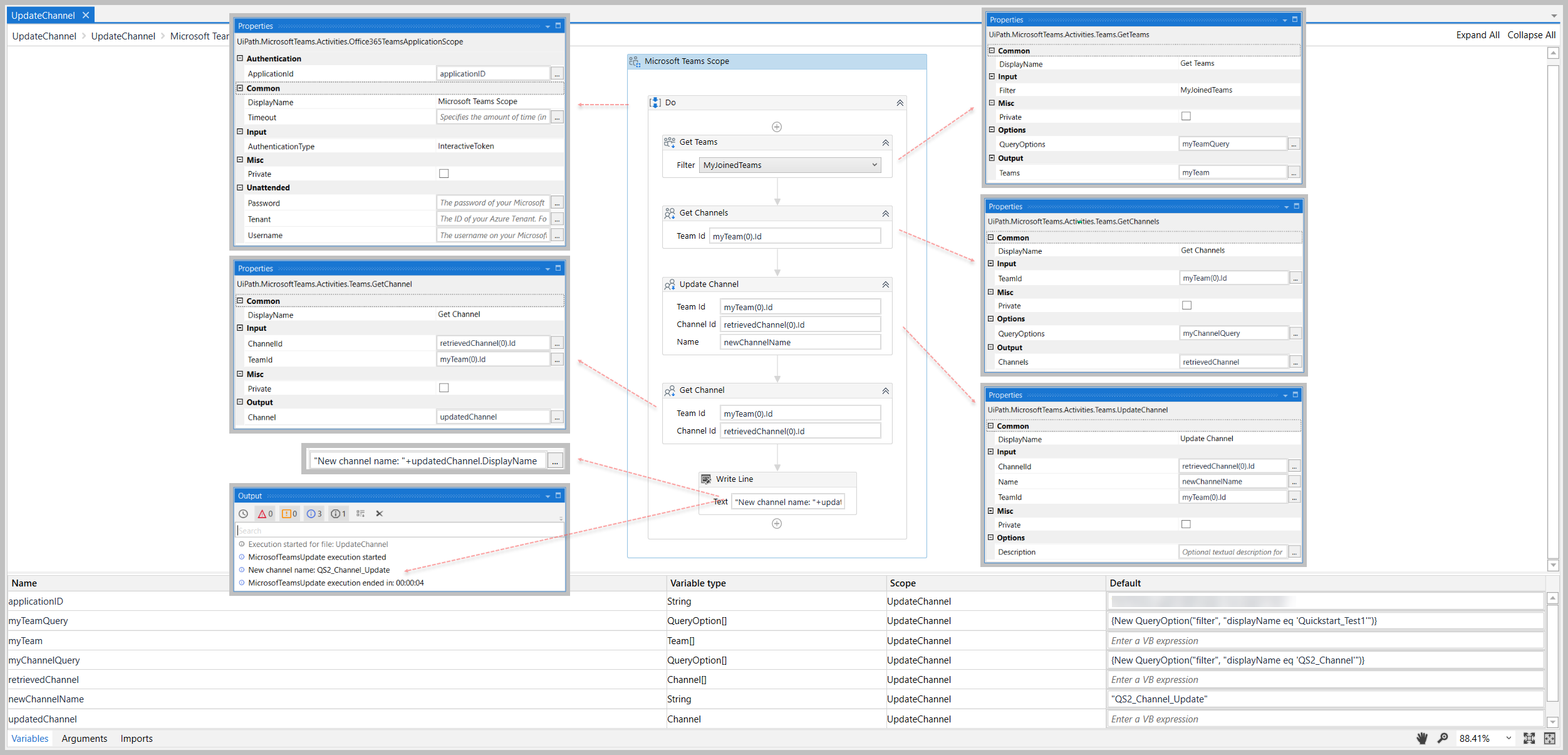
The following image shows an example of the activity dependency relationship and input/output property values.
For step-by-step instructions and examples, see the Quickstart guides.