Oracle Process Scope
UiPath.Oracle.IntegrationCloud.Process.Activities.OracleProcessScope
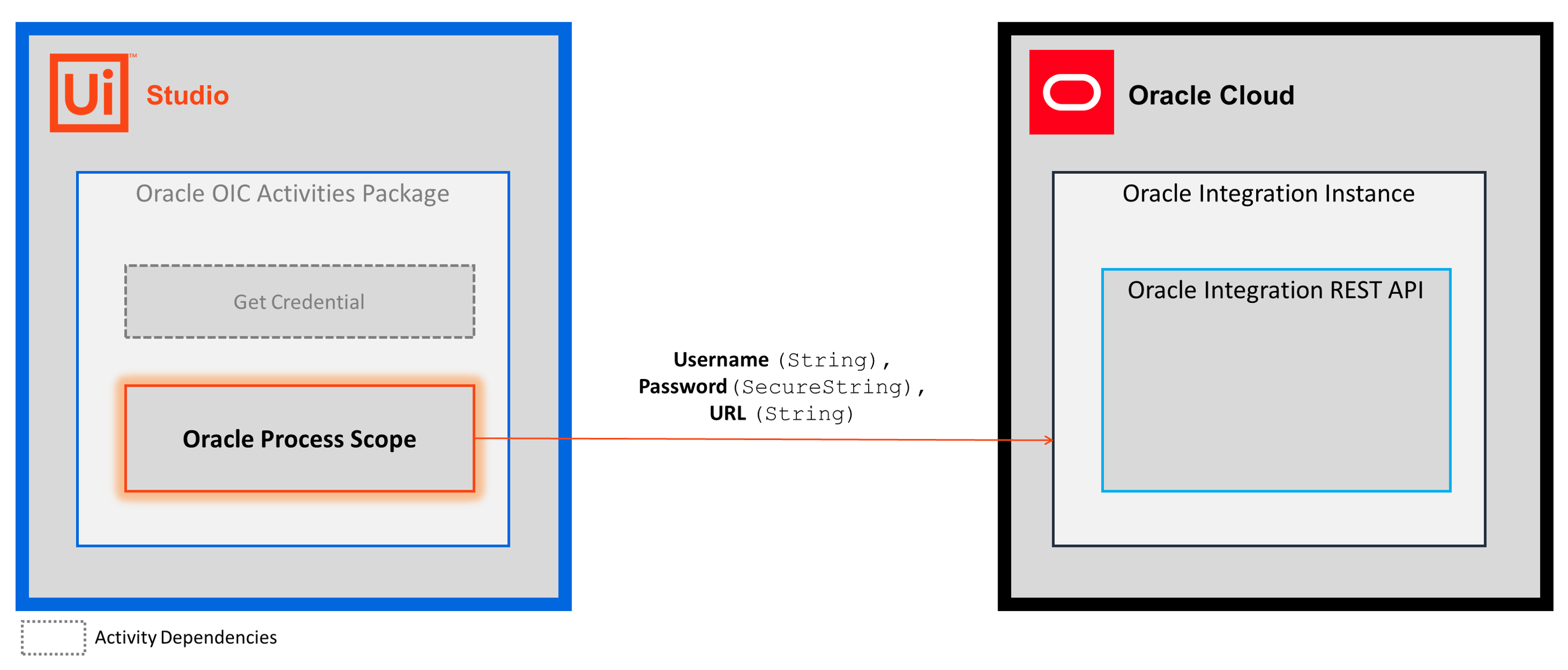
Each Oracle OIC activity calls a Oracle Integration REST API using the request parameters you enter in the activity's input properties. To successfully call the Oracle Integration REST APIs, the activities rely on the Oracle Process Scope activity to provide the account credentials that enable access to the Oracle Integration instance.
Using your account credentials (Username, Password) and the integration instance endpoint (URL), the Oracle Scope activity establishes an authenticated connection to your Oracle Integration instance.
How it works
The following steps and message sequence diagram is an example of how the activity works from design time (i.e., the activity dependencies and input/output properties) to run time.
-
Complete the Setup steps.
-
Add a activity to retrieve the Orchestrator asset that contains your username and password.
-
Add the Oracle Process Scope activity to your project.
-
Enter values for the Credentials and Input properties.
Properties
Common
- DisplayName - The display name of the activity. This field supports only
StringsorStringvariables.
Credentials
- Password - The password associated with the Username. Enter a
SecureStringvariable.- To enter your
SecureStringvariable, use the and activities or a activity (see example below). - To handle a
SecureStringin the Assign activity, install the UiPath.Credentials.Activities package to add support for theCredentialclass.
- To enter your
- Username - The user that you want to use to connect to your Oracle Integration instance. This field supports only
Stringvariables.- The user must have access to the Oracle Integration instance that you specify in the URL property (you may need to contact your account administrator).
- For more information, see the Oracle Integration Cloud docs.
Input
- URL - The URL of the integration instance that you want to connect to. This field supports only
StringsorStringvariables.
Misc
- Private - If selected, the values of variables and arguments are no longer logged at Verbose level.
Example
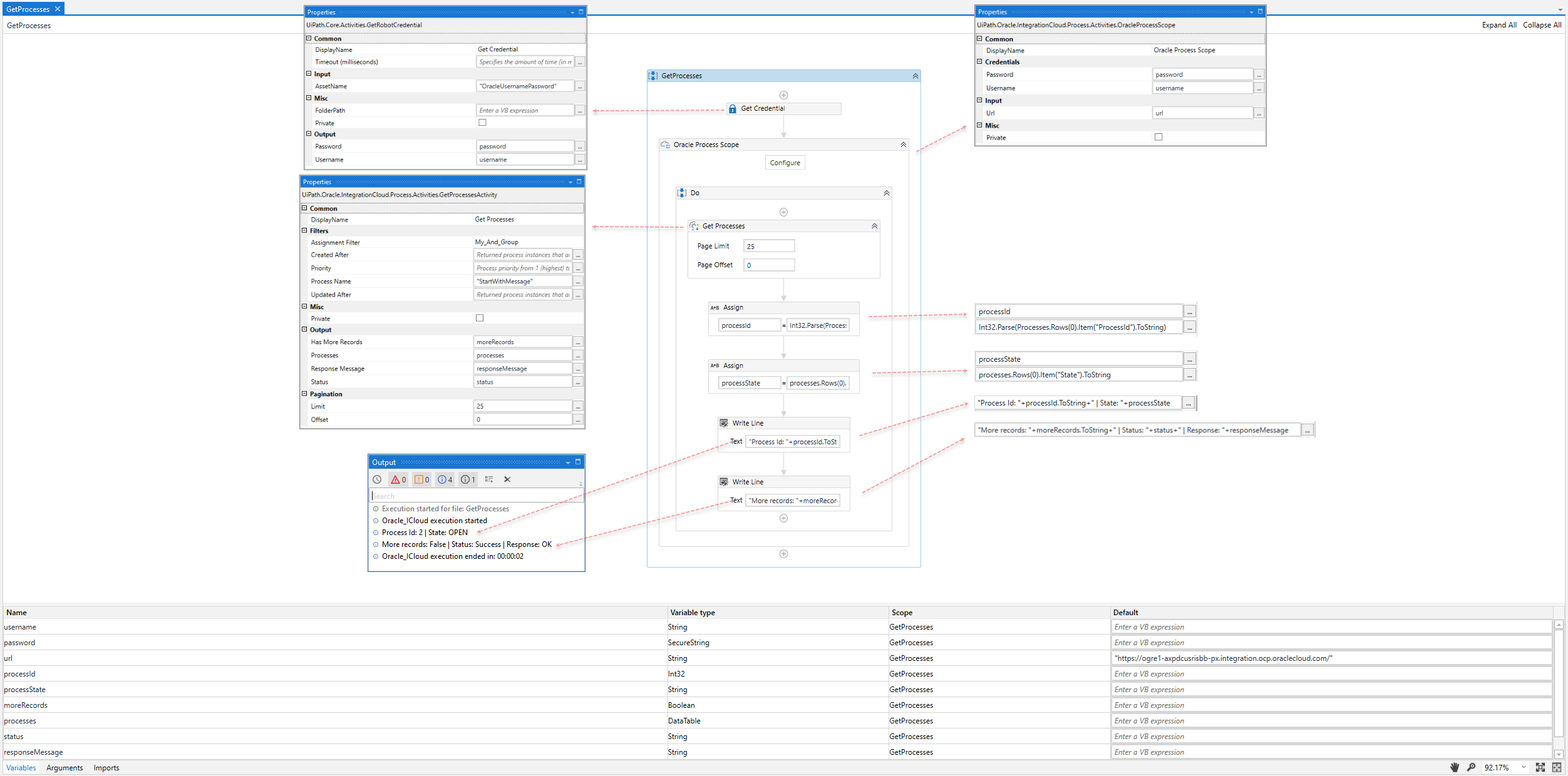
The following image shows an example of the activity dependency relationship and input/output property values.