Email Sent
UiPath.GSuite.Activities.Gmail.Triggers.EmailSent
Description
Executes an automation workflow when an email is sent.
Scopes
This activity requires the following scopes:
OR
OR
OR
Project compatibility
Windows | Cross-platform
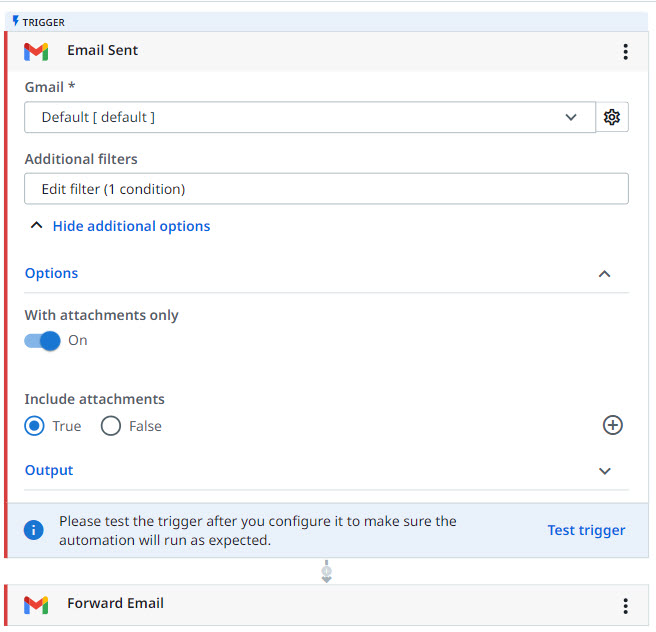
Configuration
- Gmail connection - The connection for the Google Workspace account to use in the activity.
- Additional filters - Click this field to open the Filter builder and add additional filters. Supports filtering on the following fields: BCC, Body, CC, Subject, From, To, Labels.
Additional options
Options
- With attachments only - Specifies whether to consider only emails with attachments. This property supports Boolean values. By default, Off is selected.
- Include attachments - Specifies whether the email message is passed to the next activities with the attachments included. This property supports Boolean values. By default, True is selected.
Output
- Email - The sent email. Automatically generated output variable. You can use it as it is or save it with a different name. You can use this in other activities, such as Forward Email.
- Job Data - Contains job info, such as Process name, Process version, Workflow name, Robot name, and mode of execution.
Example