Callout how-to guides
This page includes guides and resources that can help you learn how to create automations using the activities in this package. You can employ these tutorials in the context of Trigger-based attended automation.
Tutorials
Step-by-step guides on how to create automations from scratch. Each tutorial includes a project that you can download and open in UiPath Studio.
| Tutorial | Description | Activities | Image preview |
|---|---|---|---|
| Building your first callout | Build your first callouts, inside the context of the Trigger-based Attended Automation solution. The tutorial consists of guiding a user through the weather.com website, to search the weather for the place where they're currently in. | Show Callout | Figure 1. Callout welcoming you to weather.com  Figure 2. Callout prompting you to search for the weather of a location  |
| Design forms using custom HTML | Create and display a simple form using an HTML file. This form displays a short message, two buttons, and the live date and time when the user interacts with the form. You can apply these steps to create custom HTML callout files, too. | Show Callout, Form Event Trigger, Close form | Figure 3. The result of a form created using HTML  |
| Creating a guided product tour | Create a guided product tour, as part of the digital adoption attended scenario. This tutorial, in particular, shows how to create a guided tour for the Wikipedia website. | Form Event Trigger, Show Callout, Show Form | Figure 4. Callout displayed to offer a guided tour within an application  |
| Creating and displaying a simple callout | Create and display a callout for 10 seconds, whenever a certain UI element appears during the automation. | Run Local Triggers, Use Application/Browser, Application Event Trigger activity, Show Callout, Close Form, Stop Local Triggers, | Figure 5. Animated image showing the callout next to the Windy logo  |
| Creating and displaying a countdown callout | Create and display a callout for 10 seconds, while showing the countdown for it, whenever a certain UI element appears during the automation. | Run Local Triggers, Use Application/Browser, Application Event Trigger activity, Show Callout, Close Form, Set Form Values, Global Variable Changed Trigger, Stop Local Triggers | Figure 6. Animated image showing a callout displaying a timer 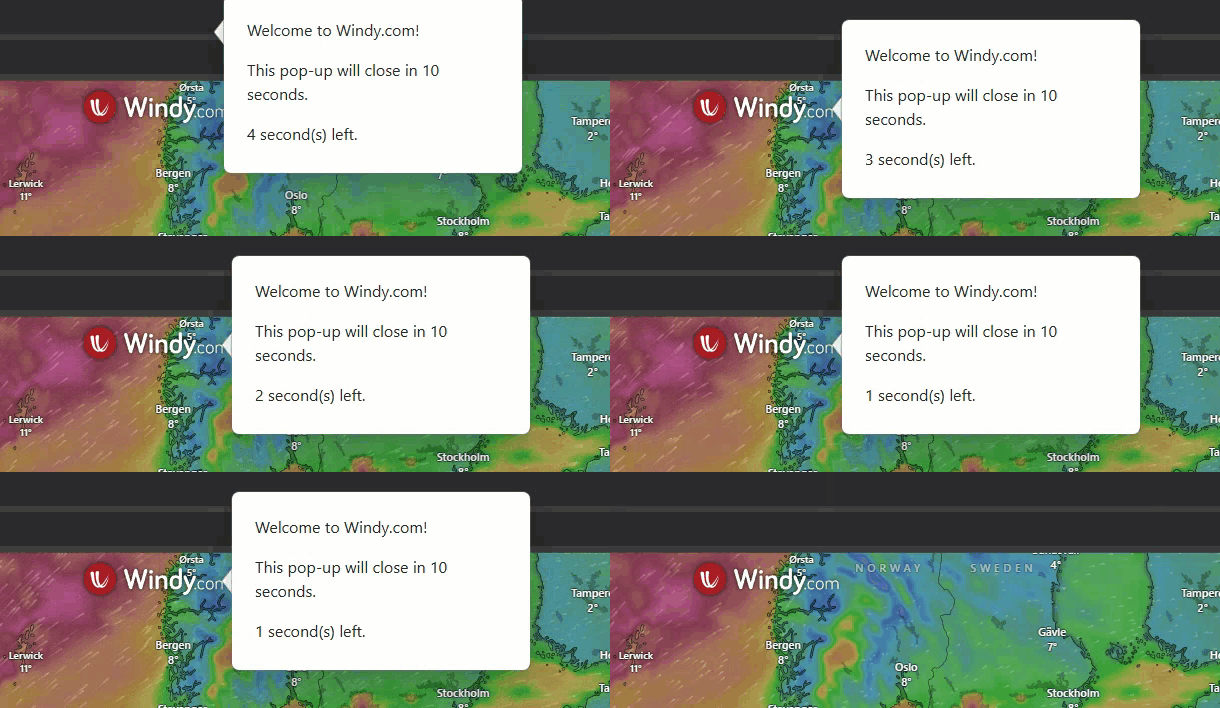 |
| Creating and displaying an AI summary callout | Create a callout that shows an AI summary of user-selected information within a web application. | Use Application/Browser, Run Local Triggers, Application Event Trigger activity, Show Callout, Close Form, Set Form Values, Content Generation, Stop Local Triggers | Figure 7. Callouts prompting users to perform actions  |
Video tutorials
| Tutorial | Description | Activities |
|---|---|---|
| Designing validation for existing apps | Design validations using callouts, forms, and triggers, for a smooth user experience while using the UiDouble sample application. | Form Event Trigger, Show Callout, Show Form |