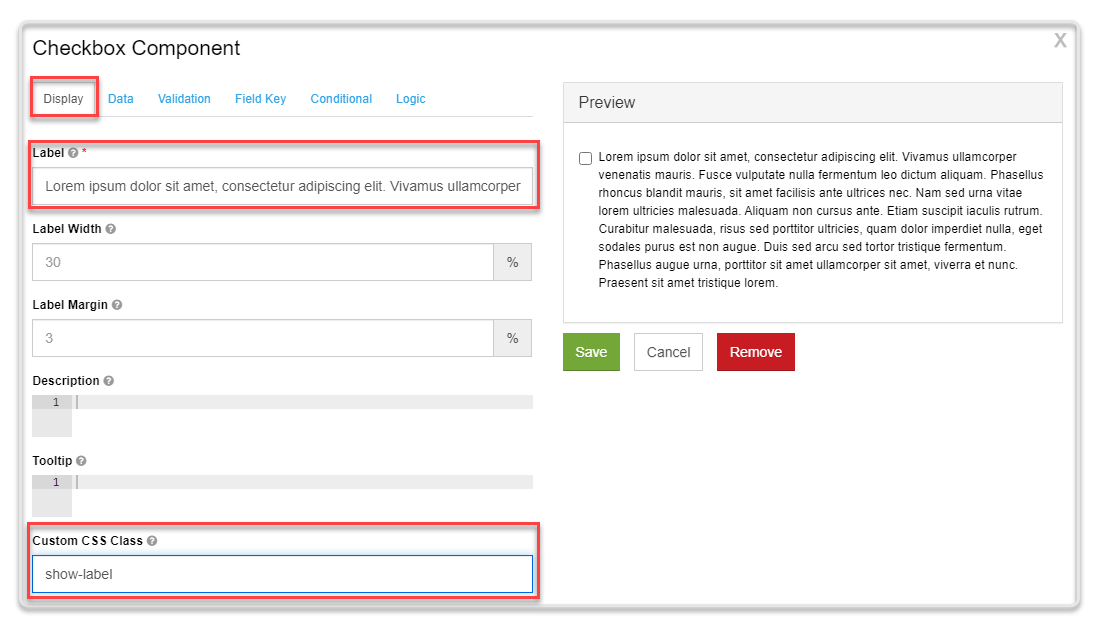
Displaying the Full Label
Display the full length of a label on multiple lines, in cases where you use the Label field to enter a large description.
Tutorial
To display full label without the default trim:
-
Open your form.
-
Go to the Display tab of the desired form component.
-
In the Label field, enter the description.
-
In the Custom CSS Class field, enter
show-label. -
Click Save.