Split
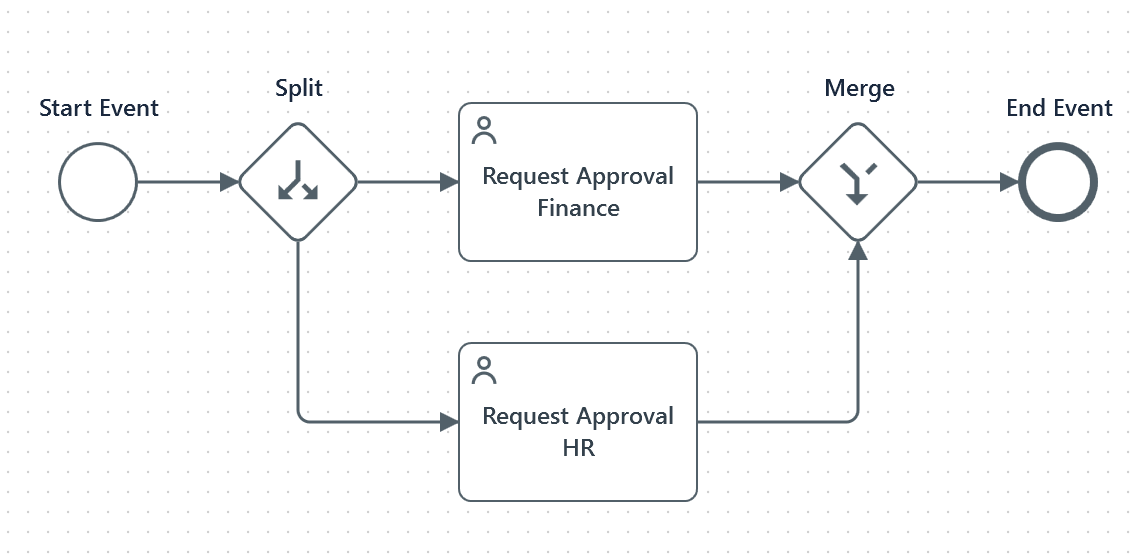
Split activities divide a process path into multiple paths that execute simultaneously or under a set condition. You can use it together with a Merge activity, or followed by an End on each outgoing branch.
Split and Merge activities are recommended for workflows requiring concurrent activities, such as gathering approvals from multiple departments or performing simultaneous data validation and enrichment.
The Split activity corresponds to the Parallel Gateway, Inclusive Gateway, and Event Based Gateway elements in BPMN.
Properties
Display name : The name of the Split point as you want it to be displayed on the Long Running Workflow canvas.
Link properties
Label : The description that is displayed on the canvas element of the link.
Managing Split
To configure a Split activity in your process:
- Drag and drop the Split activity to your canvas.
- Add activities and link them to the Split activity.
- Optionally, select the canvas element of each path and provide a value to the Label property. This helps you describe the split operation.