Preparing Splunk
To use Splunk, you need to set up HTTP Event Collector (HEC).
-
Open Splunk.
-
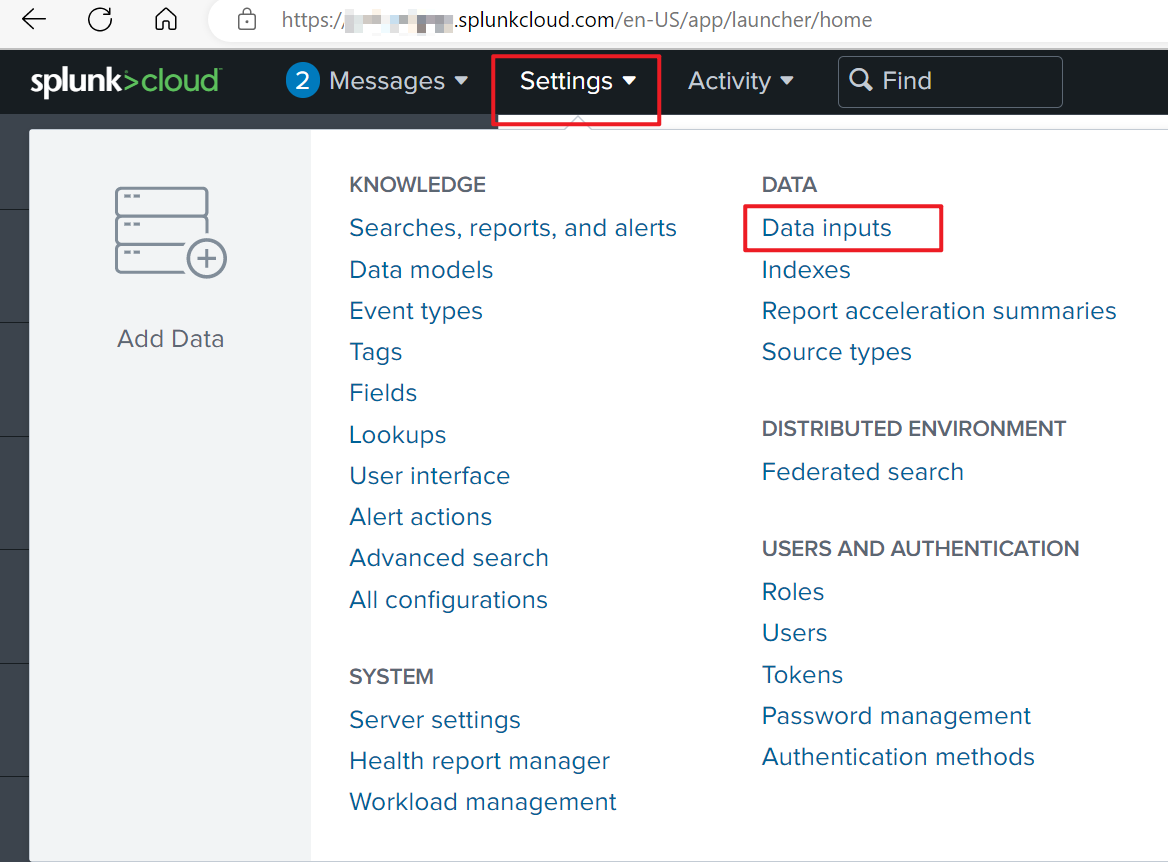
Go to Settings > Data inputs.
-
Select HTTP Event Collector.
-
Select the green New Token button from the top-right corner.
-
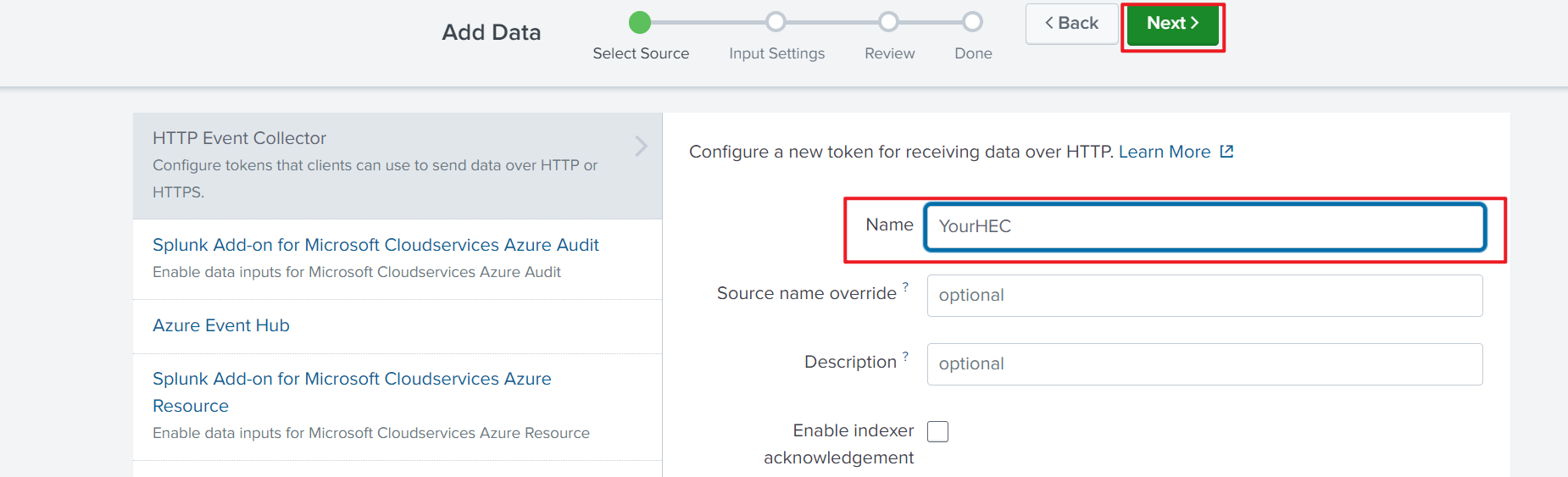
Fill in the Name field with a name for your HEC.
-
Select Next.
-
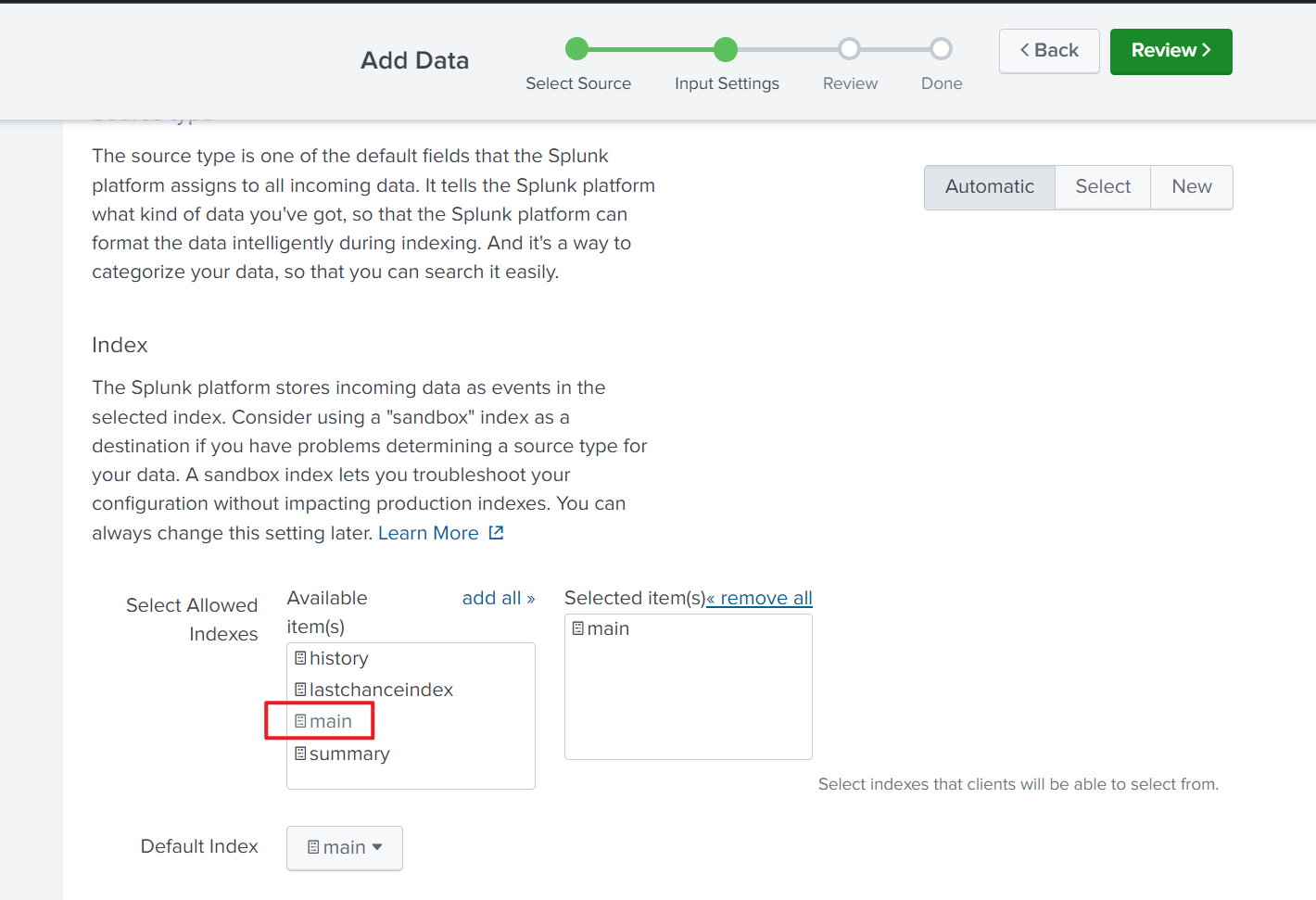
Select the index you want to ingest data into. In the example screenshot main is selected. You can customize your choice in this page.
-
Select Review.
-
Select Submit.