Connector Builder checklist
The Connector Builder checklist helps you verify that your connector is correctly configured before publishing. It tracks the key setup steps and reflects the actual state of your connector in real time — each step turns green automatically once the corresponding configuration is in place.
To open the checklist, select the checklist icon in the top toolbar of Connector Builder. A red dot on the icon indicates that one or more steps are not yet complete.
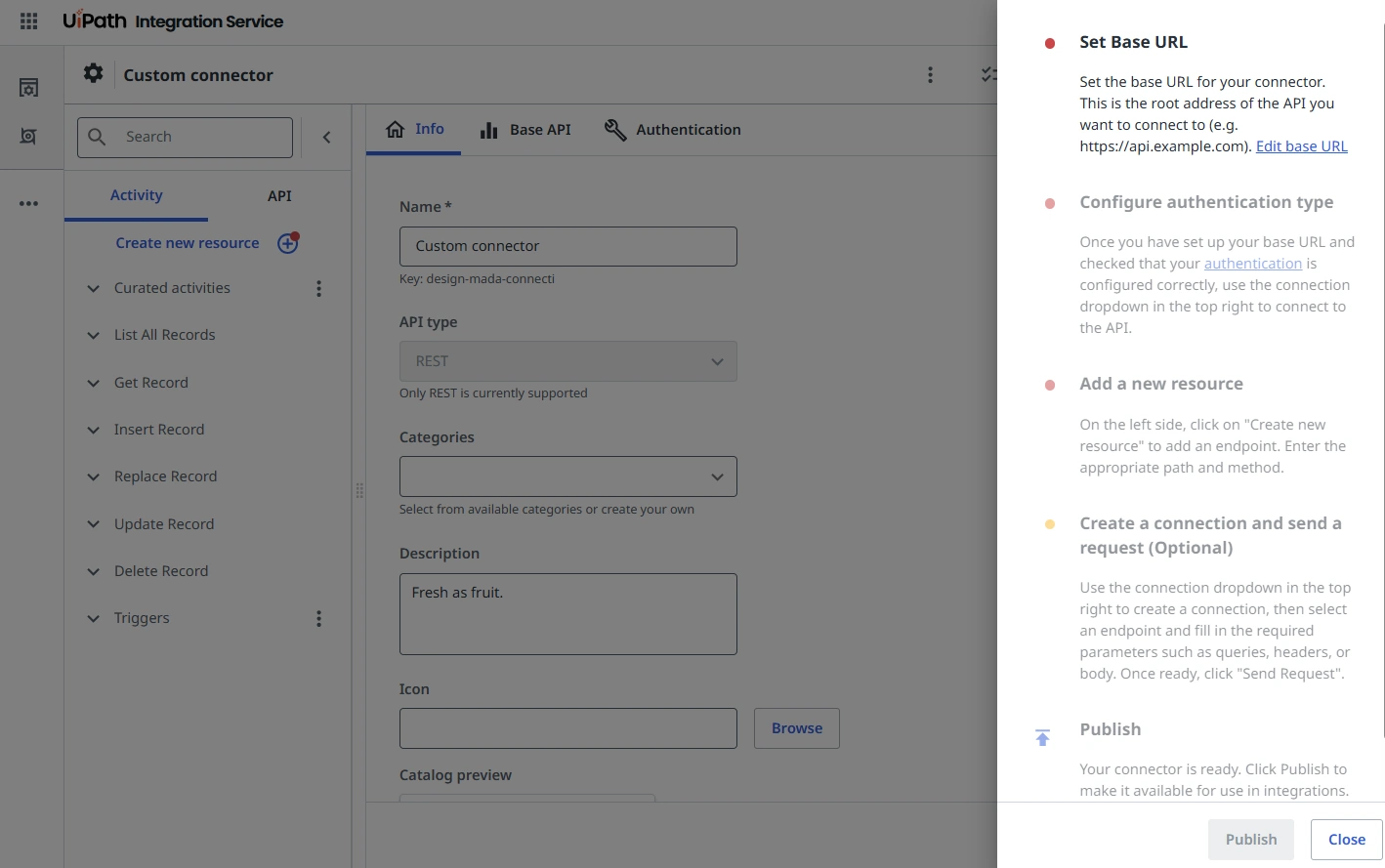
Checklist items
The checklist contains the following items:
| Item | Required | Description | Completion criteria |
|---|---|---|---|
| Set Base URL | Yes | The root address of the API your connector connects to (for example, https://api.example.com). | A base URL is saved in the Base API tab. |
| Configure authentication type | Yes | The authentication method used to connect to the API, configured in the Authentication tab. | An authentication type is configured and a connection is established using the Add connection dropdown. |
| Add a new resource | Yes | At least one endpoint added via Create new resource on the left panel, with a path and HTTP method defined. | At least one resource endpoint exists. |
| Create a connection and send a request | No | A connection created and a test request sent using the Send Request option for an endpoint. | A request has been sent successfully. |
| Publish | — | Publishes the connector and makes it available in integrations. Select Publish directly from the checklist or from the toolbar. | Connector is published. |
Status indicators
Each checklist item displays a colored dot that reflects its current status:
- Red dot — The item is mandatory and has not been completed.
- Yellow dot — The item is optional and has not been completed.
- Green dot — The item has been completed.
Publish validation
The Publish button — available both in the toolbar and directly in the checklist drawer — validates all mandatory steps before allowing a connector to be published. If a required step is not complete, a tooltip indicates which step to complete next:
- Set Base URL — No base URL has been configured.
- Connect to API — Authentication is not configured or no connection has been established.
- Add an endpoint — No resources have been created.
Once all mandatory steps are complete, the connector can be published.