Microsoft Sentiment authentication
Prerequisites
To be able to create a connection, you need to provide the following credentials:
- Endpoint
- Authorization Key
Retrieve your credentials
To retrieve your credentials, follow these steps:
-
Login to your https://portal.azure.com dashboard and search for your Language service using the search bar.
-
In the Azure AI Services | Language service overview page, select your resource, for example, MS-Sentiment-Analysis.

-
Under Resource Management, select Keys and Endpoint.
-
Your authorization keys and endpoint are displayed.

Add the Microsoft Sentiment connection
To create a connection to your Microsoft Sentiment instance, you need to perform the following steps:
-
Select Orchestrator from the product launcher.
-
Select a folder, and then navigate to the Connections tab.
-
Select Add connection.
-
To open the connection creation page, select the connector from the list. You can use the search bar to find the connector.
-
Provide your endpoint and your authorization key.
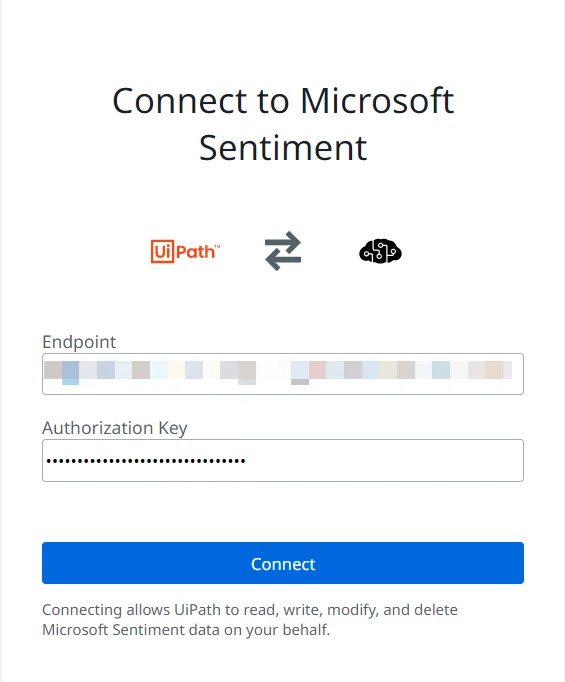
For any secret-type field, you can select the menu next to the field and choose Use credential asset to reference an Orchestrator credential asset linked to an external vault instead of entering the value directly. For more information, see Use credential assets for connections.
-
Select Connect.
-
Your connection has been added.
For more information about authenticating in Microsoft Sentiment, visit the Authenticate requests to Azure Cognitive Services page.