Get document analysis status
The Get Document Analysis Status activity uses the Amazon Textract GetDocumentAnalysis API to asynchronously retrieve the status of an existing or previously executed document analysis job (JobId).
After retrieving the document analysis, the activity returns the job status as a String value that you can use as a condition to run other activities (for example, Get Document Analysis).
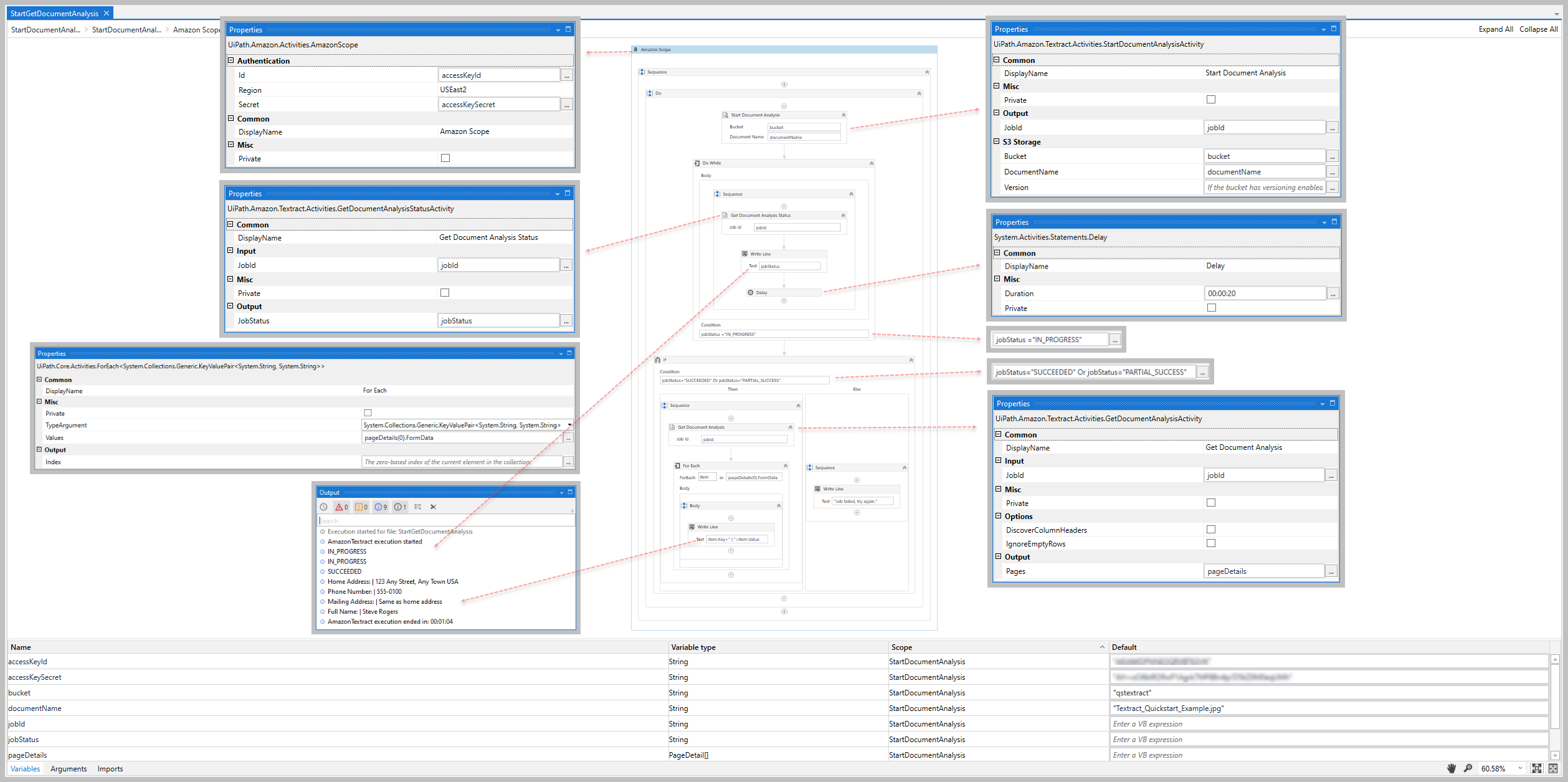
To avoid overloading the Amazon Textract service with requests, it's recommended that you implement a delay between each execution of this activity (for example, add the Get Document Analysis Status and a Delay activity inside a Do While activity - see example section below)
How it works
The following steps and message sequence diagram is an example of how the activity works from design time (that is, the activity dependencies and input/output properties) to run time.
- Complete the Setup steps.
- Add the Amazon Scope activity to your project.
- Add an activity or run an external process that outputs a
JobIdvalue (for example, Start Document Analysis). - Add the Get Document Analysis Status inside the Amazon Scope activity.
- Enter values for the Input properties.
- Create and enter a
Stringvariable for your Output property. - Run the activity.
-
Your input properties are sent to the GetDocumentAnalysis API.
-
The API returns the
Stringvalue to your output property variable.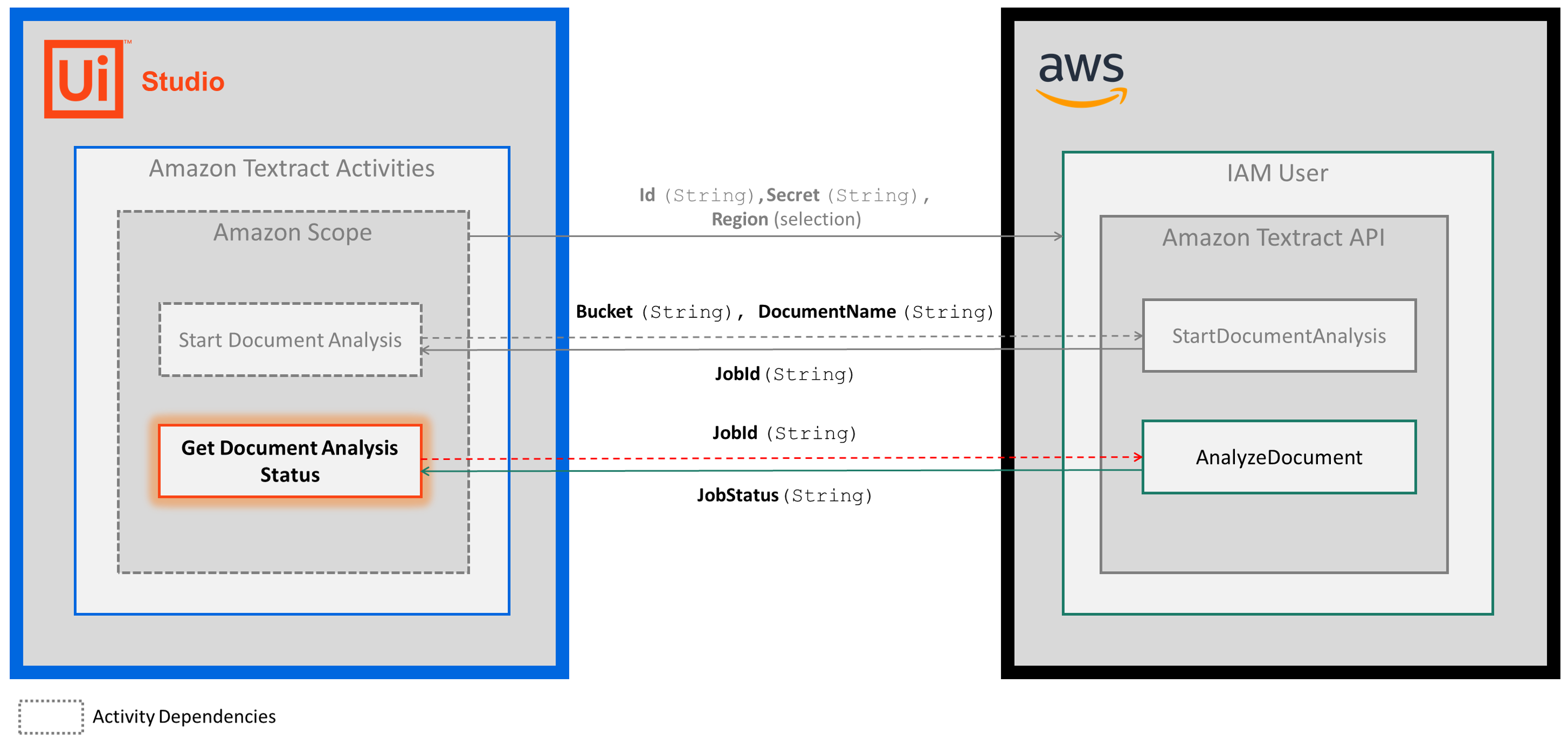
-
Properties
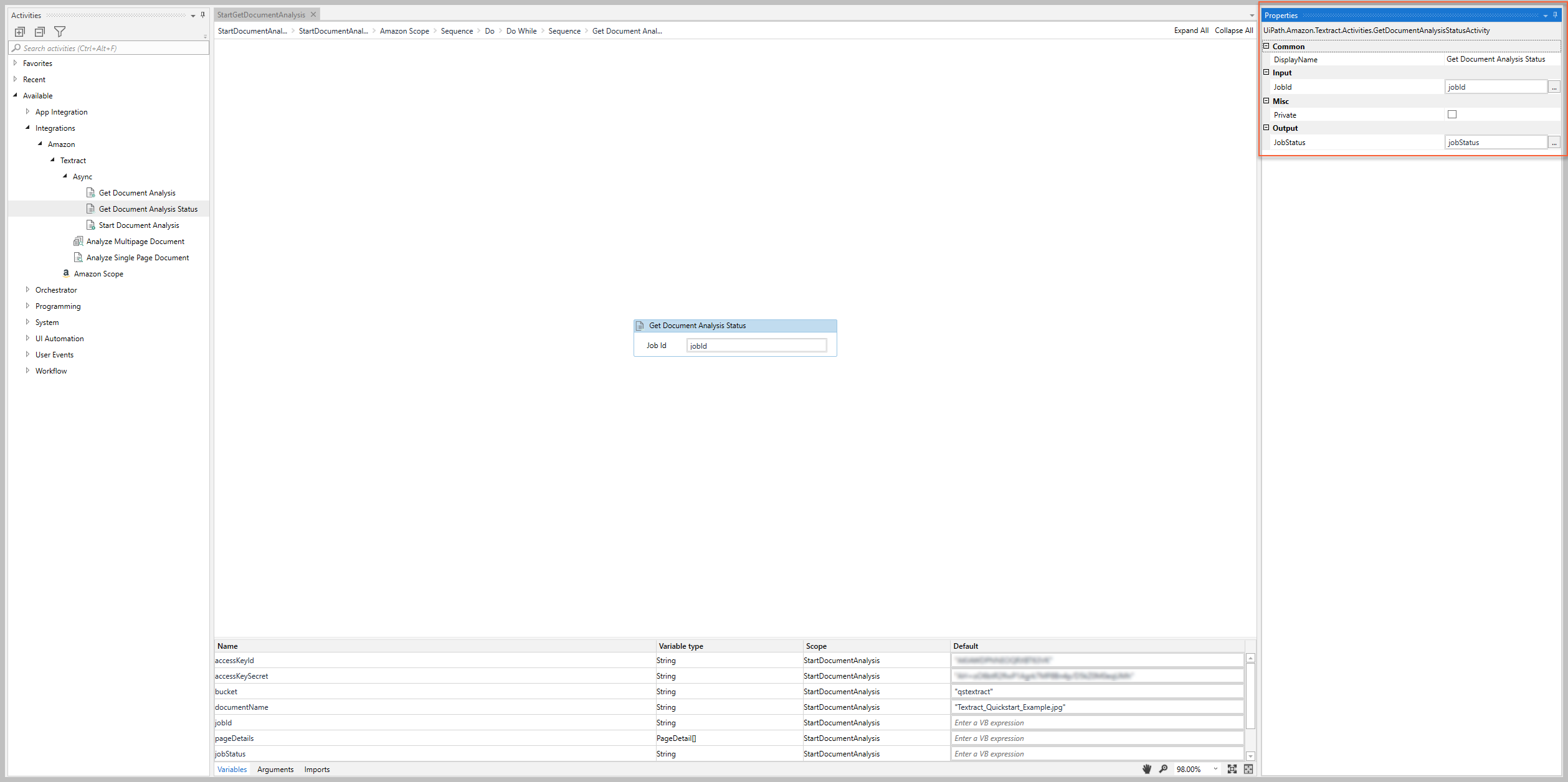
The values for the following properties are specified when adding this activity to your project in UiPath Studio.
Common
DisplayName
The display name of the activity.
| Attributes | Details |
|---|---|
| Type | String |
| Required | Yes |
| Default value | Get Document Analysis Status |
| Allowed values | Enter a String or String variable. |
| Notes | N/A |
Input
JobId
The identifier assigned to the document analysis process that you want to retrieve.
| Attributes | Details |
|---|---|
| Type | String |
| Required | No (recommended if you plan to use the output data in subsequent activities) |
| Default value | Empty |
| Allowed values | Enter a String or String variable |
| Notes | To get the JobId String value, use an external process or activity that includes the JobID value in its output (e.g., Start Document Analysis or external API call) |
Misc
Private
If selected, the values of variables and arguments are no longer logged at Verbose level.
| Attributes | Details |
|---|---|
| Type | Checkbox |
| Required | No |
| Default value | Not Selected |
| Allowed values | Selected or Not Selected |
| Notes | N/A |
Output
JobStatus
The status of the specified JobId.
| Attributes |
Details |
|---|---|
| Type |
|
| Required |
No (recommended if you plan to use the output data in subsequent activities) |
| Default value |
Empty |
| Allowed values |
Enter a String variable |
| Notes |
There are 4 possible status values:
|
Example
The following image shows an example of the activity dependency relationship and input/output property values.
For step-by-step instructions and examples, see the Quickstart guides.