Azure Form Recognizer scope
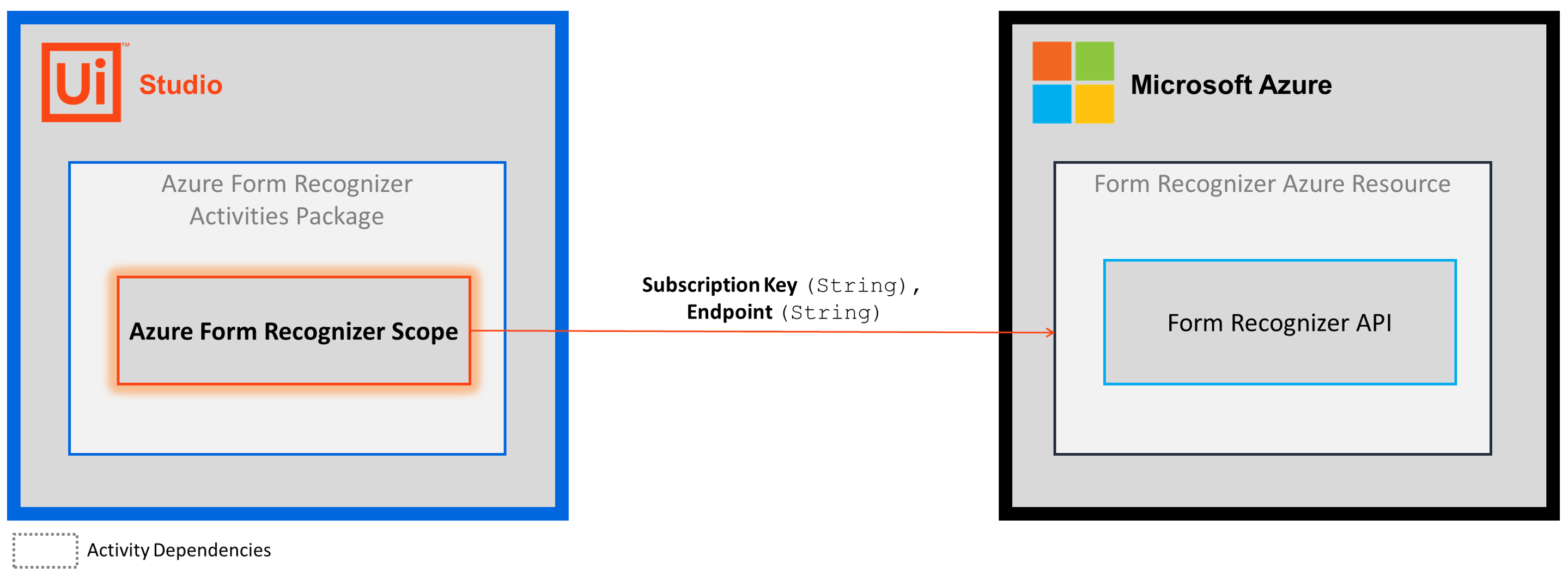
Each Azure Form Recognizer activity calls a Form Recognizer API. To successfully call the API, the activities must include an authentication header in the request. To include an authentication header, the activities rely on the Azure Form Recognizer Scope activity to provide a subscription key value.
Using your subscription key (Subscription Key) and resource endpoint (Endpoint), the Azure Form Recognizer Scope activity facilitates the authenticated connection to your Form Recognizer Azure resource.
The authentication method used by the Azure Form Recognizer Scope activity is different when compared to other Microsoft integrations (e.g., Teams and ).
Currently, the Azure Form Recognizer activities authenticate with a single-service subscription key only. Authentication using an InteractiveToken or IntegratedWindowsAuthentication is not supported.
How it works
The following steps and message sequence diagram is an example of how the activity works from design time (that is, the activity dependencies and input/output properties) to run time.
-
Complete the Setup steps.
-
Add the Azure Form Recognizer Scope activity to your project.
-
Enter values for the Authentication and Input properties.
Properties
The values for the following properties are specified when adding this activity to your project in UiPath Studio.
Common
DisplayName
The display name of the activity.
| Attributes | Details |
|---|---|
| Type | String |
| Required | Yes |
| Default value | Azure Form Recognizer Scope |
| Allowed values | Enter a String or String variable. |
| Notes | N/A |
Authentication
Subscription Key
The SecureString used to authenticate requests to the Form Recognizer API.
| Attributes | Details |
|---|---|
| Type | String |
| Required | Yes |
| Default value | Empty |
| Allowed values | Enter a SecureString variable. |
| Notes | The Subscription Key gets generated when you create a Form Recognizer Azure resource. For more information, see the Create a Form Recognizer Azure resource section of the Setup guide. |
Input
Endpoint
The API endpoint of your Form Recognizer resource.
| Attributes | Details |
|---|---|
| Type | String |
| Required | Yes |
| Default value | Empty |
| Allowed values | Enter a String or String variable. |
| Notes | The Endpoint gets generated when you create a Form Recognizer Azure resource. For more information, see the Create a Form Recognizer Azure resource section of the Setup guide. |
Misc
Private
If selected, the values of variables and arguments are no longer logged at Verbose level.
| Attributes | Details |
|---|---|
| Type | Checkbox |
| Required | No |
| Default value | Not Selected |
| Allowed values | Selected or Not Selected |
| Notes | N/A |
Example
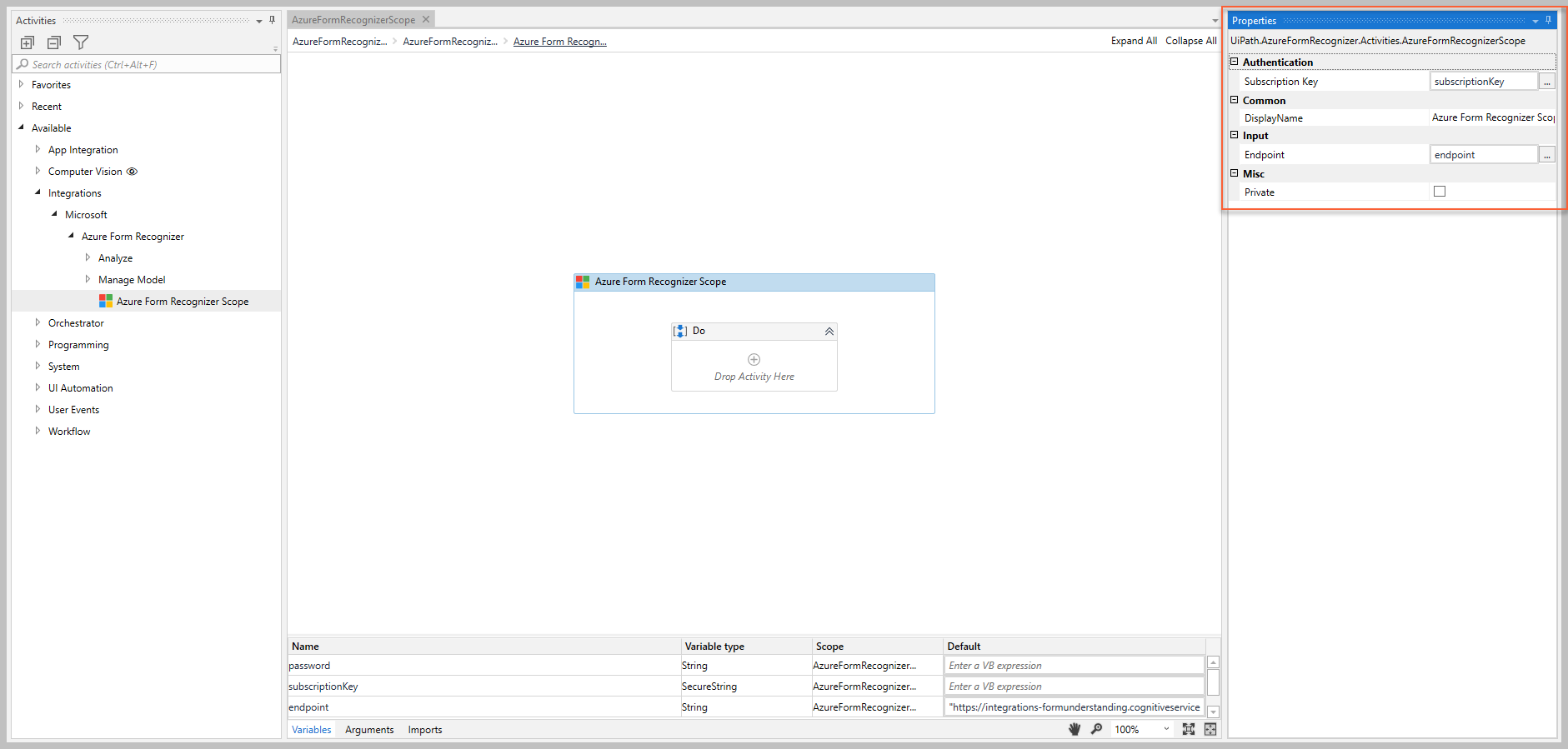
The following image shows an example of the activity dependency relationship and input/output property values.
For step-by-step instructions and examples, see the Quickstart guide.