Menu Compliance
The dashboards of the Compliance menu contain information that will help determine whether the process complies with specified requirements or standards.
The Compliance menu has the following dashboard:
- Compliance - Maverick buying - the dashboard where you can find purchase order items that were processed outside the regular Purchase-to-Pay process.
- Tag Details - the dashboard where you can find detailed information on Maverick buying tags.
Compliance - Maverick buying
Compliance - Maverick buying
The Compliance menu contains the Maverick buying dashboard. Maverick buying is defined as the number of purchase order items that were processed outside the regular Purchase-to-Pay process without involvement of the Procurement department.
Compliance - Maverick buying is the dashboard where you can analyze your process regarding maverick buying. It enables you to analyze purchase order items labeled with one or more maverick buying tag.
Purchase order items of purchase orders that were created within the selected period are displayed.
KPIs
The following table describes the KPIs displayed at the top of the Conformance - Maverick buying dashboard.
| KPI | Description |
|---|---|
| Maverick buying value | Total value of the purchase order items involved in maverick buying. |
| Percentage maverick buying | The percentage of purchase order items that were processed outside the regular Purchase-to-Pay process. |
| Number of items | The number of purchase order items that were processed outside the regular Purchase-to-Pay process. |
| Total PO items | The total number of purchase order items. |
Maverick buying tags
The following table describes the predefined tags for maverick buying.
| Tag | Indicates that the... |
|---|---|
| Goods received before PO item creation | goods were received before a purchase order item was created. |
| Goods received before PO approval | goods were received before a purchase order was approved. |
| Goods received without PO approval | goods were received for a purchase order that was not approved. |
| Invoice received before PO item creation | invoice was received before a purchase order item was created. |
| Invoice received before PO approval | invoice was received before a purchase order was approved. |
| Invoice received before goods received | invoice item was created before the last goods received event for a purchase order item occured. |
| Invoice received before PR creation | invoice item was created before the create purchase requisition event occured. |
| Invoice received without PO approval | invoice was received for a purchase order that was not approved. |
| Unreasonably quick goods delivery | goods were delivered within 2 hours after the purchase order was approved. |
| Unreasonably quick invoice received | invoice was received within 2 hours after the purchase order was approved. |
Metrics
You can create various different contexts by selecting different categories from the drop-down list.
The following table describes the metrics that can be used to analyze the purchase items regarding the selected category.
| Metric | Description | Base |
|---|---|---|
| Number of items | The number of unique purchase order items that are processed outside the regular Purchase-to-Pay process, i.e. have a maverick buying tag. | Purchase order items |
| Percentage of items | The percentage of purchase order items that are processed outside the regular Purchase-to-Pay process, i.e. have a maverick buying tag. | Purchase order items |
| Avg. item value | The average value of the purchase order items that are processed outside the regular Purchase-to-Pay process, i.e. have a maverick buying tag. | Purchase order items |
| Total item value | Sum of the value of the purchase order items that are processed outside the regular Purchase-to-Pay process, i.e. have a maverick buying tag. | Purchase order items |
Maverick Buying Process
The process graph displays the process for purchase order items regarding maverick buying.
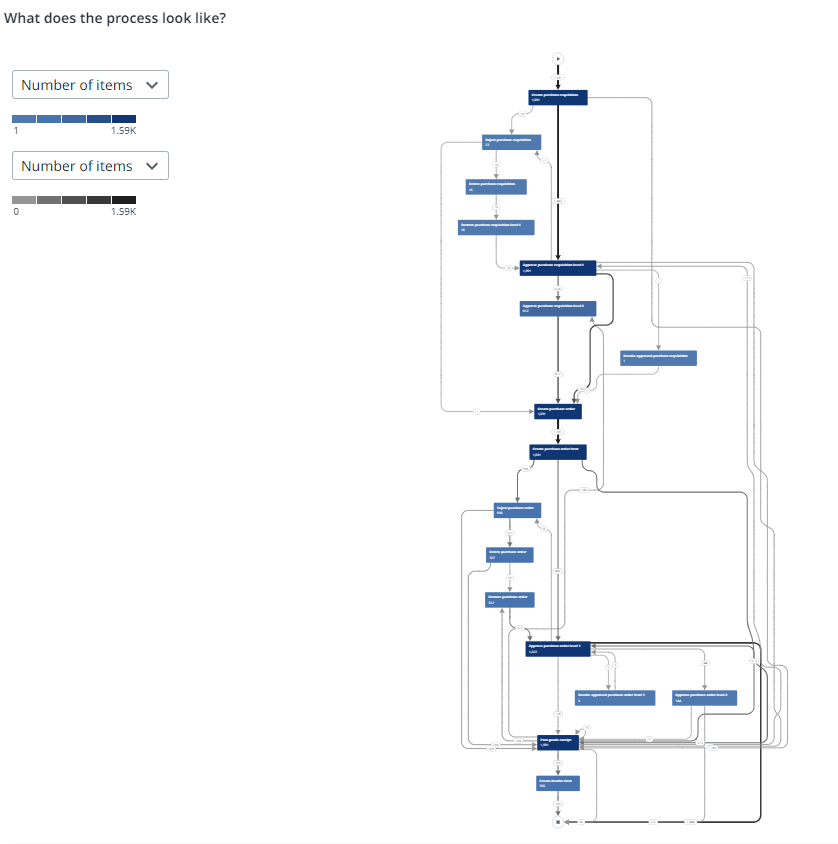
Purchase order items that do not have a Maverick buying tag are taken into account. When the number displayed on an edge is 0, this means there are no purchase order items that have a Maverick buying tag.
You can select a different metric from the activity and edge metrics selector to display the process graph based on different metrics. BThe following tables describe the available metrics.
Activity metrics
| Metric | Description | Base |
|---|---|---|
| Number of items | The number of unique cases. | Purchase order items |
| Avg. item value | The average value of the purchase order items that are processed outside the regular Purchase-to-Pay process, i.e. have a maverick buying tag. | Purchase order items |
| Total item value | Sum of the value of the purchase order items that are processed outside the regular Purchase-to-Pay process, i.e. have a maverick buying tag. | Purchase order items |
| Number of items | The number of unique purchase order items that have a maverick buying tag, within the selected period. | Maverick buying |
You can use the Detail slider to change the number of activities and/or edges shown. Check out Working with process graphs.
Edge metrics
| Metric | Description | Base |
|---|---|---|
| Number of items | The number of unique purchase order items. | Purchase order items |
| Average throughput time | The average throughput time between the activities. | Duration |
Tag Details
The Tag details dashboard displays a list of all Maverick buying tags, within a selected period, and their properties.
Each row represents a tag related to a certain purchase order item. It provides detailed information on the event level.