Grouping dashboard items
Introduction
You can group dashboard items together by using containers and tab containers. Using a container gives much more flexibility in designing dashboards. Containers can be positioned in the same way as dashboard items. The items in a container can be positioned relative to that container.
When containers are used to position other dashboard items, the header of the container can be disabled.
Follow these steps to create a container.
| Step | Action |
|---|---|
| 1 | Go to a dashboard with multiple charts. |
| 2 | Right-click in the dashboard item list and select New container. |
| 3 | Drag and drop the two charts into New container. |
| 4 | Change the position of the container as desired. |
See illustration below for an example.
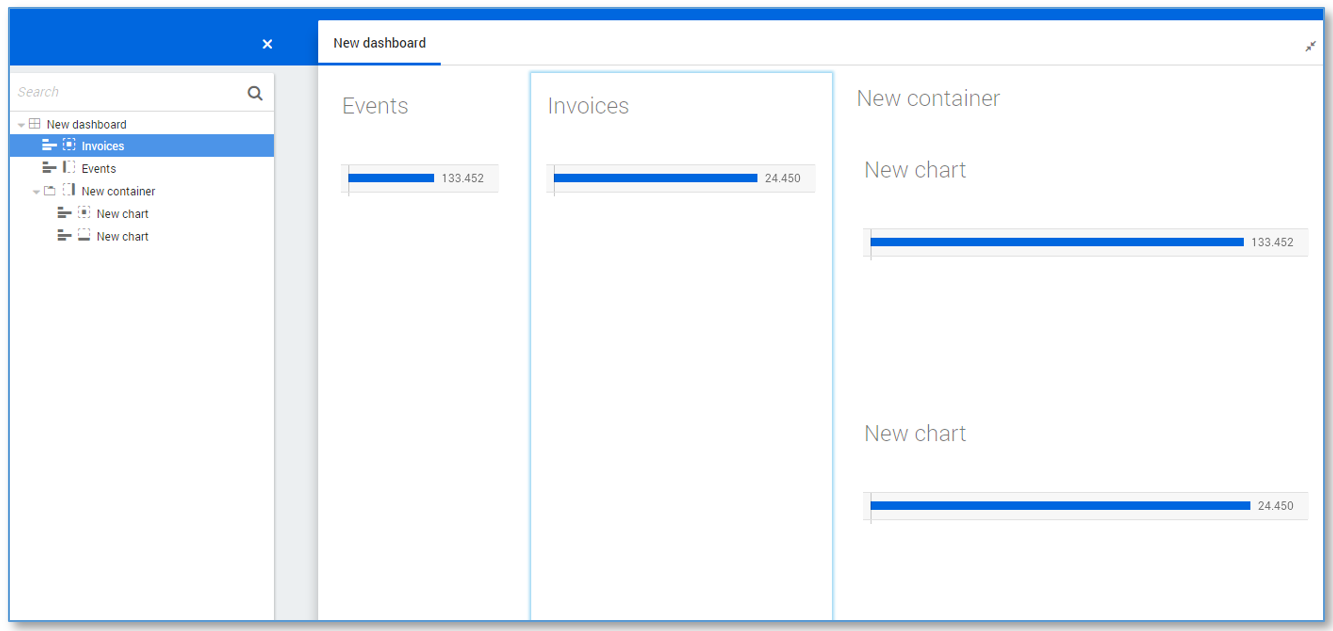
Using a tab container, end users can switch between different tabs that each contains a container with dashboard items.
Follow these steps create a tab container.
| Step | Action |
|---|---|
| 1 | Right-click on a container in the dashboard item list and select Edit.... |
| 2 | Select the Tab container check box and click on OK. |
The dashboard items in the container are now visible as different tabs. This can be used to reduce the total number of actual dashboards.