Creating dashboards
Introduction
Dashboards are used to visualize data in a meaningful way to end-users. Various dashboard items can be used to provide different views and to organize, group, and filter data from different data sources.
A dashboard item can show data from only one data source. To display data from different data sources, multiple dashboard items should be used. Within a dashboard, the placement of the dashboard items can be controlled.
Dashboard item types
Dashboard items can be of the following types:
Although dashboard items look different with respect to the visualizations they provide, they all obey the same layout rules and can be added to a dashboard together.
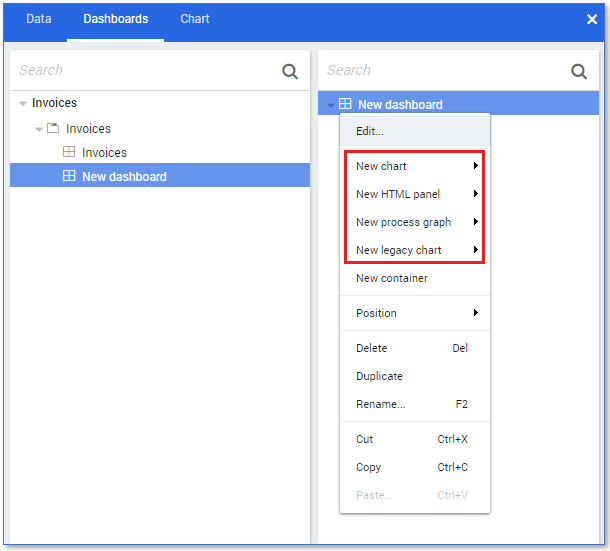
Follow these steps to display the available dashboard item types.
| Step | Action |
|---|---|
| 1 | Open the app or discovery accelerator in your development environment. |
| 2 | Go to the Dashboards tab and create a new dashboard. |
| 3 | Right click on the New dashboard in the dashboard item list. |
See illustration below.