Datasource attributes
Datasource attributes
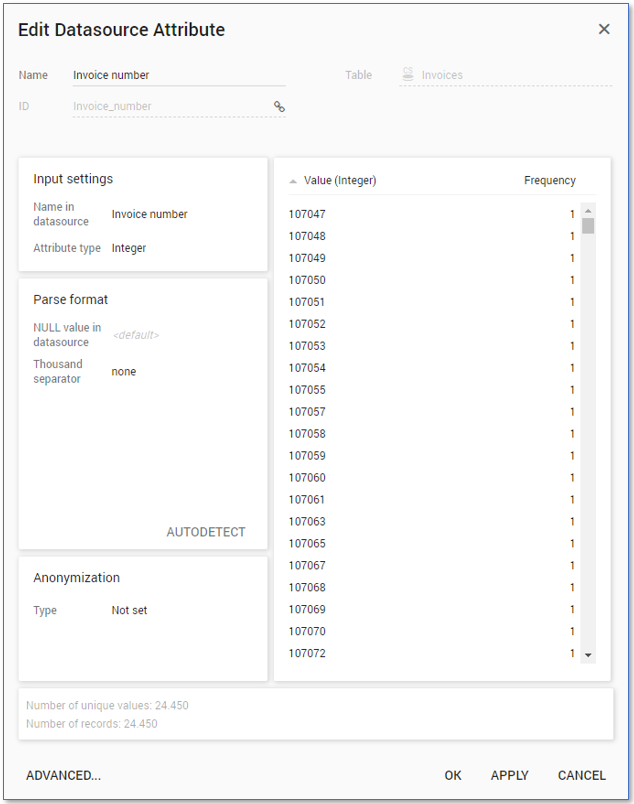
Initially the table only contains datasource attributes. Each datasource attribute corresponds to one of the columns in your data file. You can see the attribute details in the Edit Datasource Attribute window.
You can open the Edit Datasource Attribute window in the following ways:
- Double-click on the datasource attribute table item;
- Right-click on the datasource attribute table item and select Edit... from the context menu.
note
This also applies to table items of the other table item types.
The Edit Datasource Attribute window shows the following information:
- The Name in data source and the Attribute type.
- The Number of unique values and the Total number of records.
- A preview of the values Value (Integer) and their Frequency.
See illustration below.
Attribute type
Below is an overview of the different attribute types and their default format settings.
| Attribute type | Specification |
|---|---|
| Boolean | N/A |
| Date | Format: YYYY-M-D |
| DateTime | Date format: YYYY-M-D Time format: h:mm[:ss[[.zzz]]] |
| Double | Decimal separator:. (dot) Thousand separator: none |
| Integer | Thousand separator: none |
| Text | N/A |
Date and DateTime attribute types
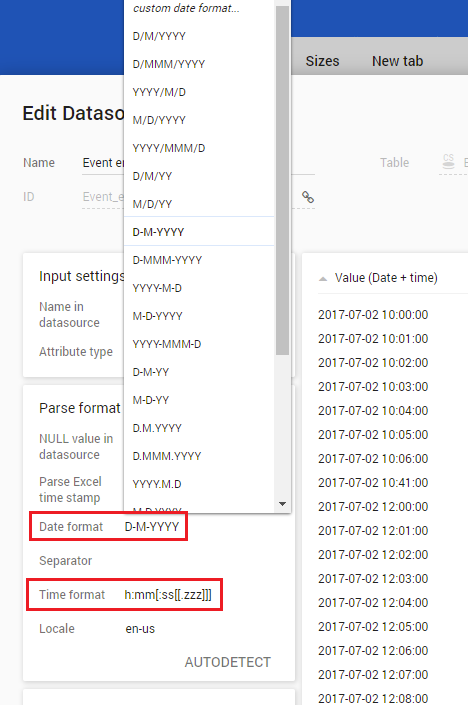
For attributes of type Date a Date format and attributes of type DateTime a Date format and a Time format are specified. You can select a different format from a list of predefined formats. See the illustration below.
Custom date format
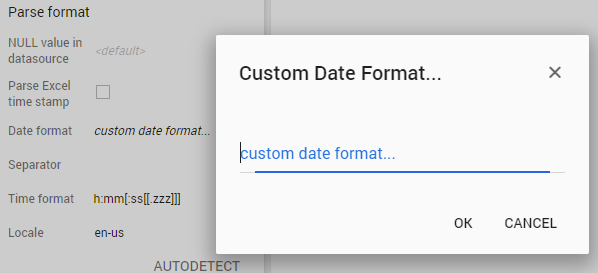
If the datasource attribute you want to load uses a format that is not predefined, you can select the option custom date format. A popup dialog is displayed where you can enter the desired format. See the illustration below.
Below is an overview of the characters that you can use to specify a custom date or a time format.
| Character(s) | Description |
|---|---|
yor yy | Years |
m or mm | Months |
wor ww | Weeks |
d or dd | Days |
h, hh, or hhh | Hours, where hh includes a leading zero. |
n, nn, or nnn | Minutes, where nn includes a leading zero. |
s, ss, or sss | Seconds, where ss includes a leading zero. |
zor zzz | Milliseconds, where zzz includes a leading zero. |
{ | An optional string that is only printed if the preceding value is not null. |
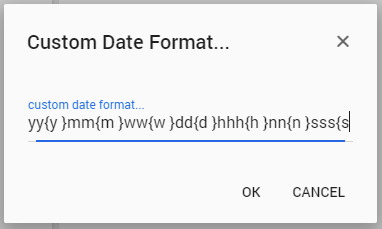
For example yy{y }mm{m }ww{w }dd{d }hhh{h }nn{n }sss{s }. See the illustration below.