Other settings
Defining the reporting currency
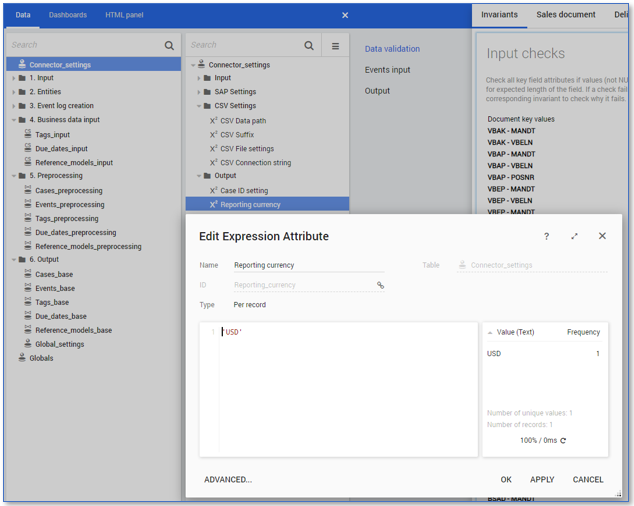
By default, the currency in which price-related values are displayed in AppOne is set to USD. It is possible that your input data contain price-related values that are in different currencies. In AppOne all currency values are displayed in the same currency. This may require input values to be converted. In the SAP Order-to-Cash Connector for AppOne you can specify the currency to which the price-related values are converted to and displayed in AppOne. The reporting currency can be set in the Reporting currency expression in the Output folder in the Connector_settings table.
Follow these steps to change the default reporting currency.
| Step | Action |
|---|---|
| 1 | Go to the Data tab and select the Connector_settings table. |
| 2 | Double click on the Reporting currency expression in the Output folder. |
| 3 | Replace 'USD' by the desired reporting currency. For example, 'EUR'. See illustration below. |
| 4 | Click on OK. |
See illustration below.
Changing the exchange rate type
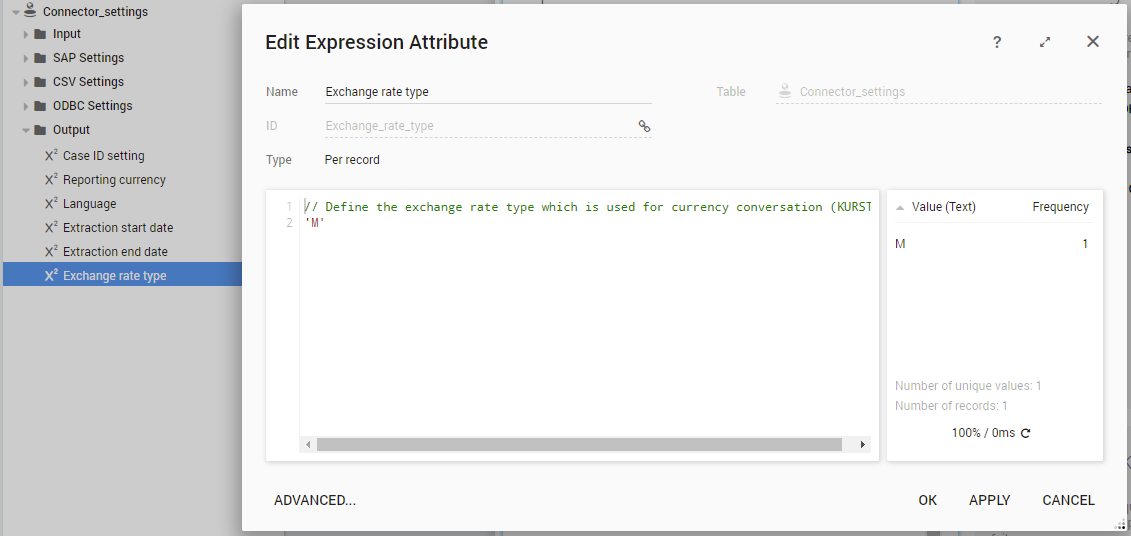
By default, the exchange rate type which is used to calculate currency conversion is set to Average exchange rate (M). When you want to use another exchange rate type you can change the Exchange rate type expression in the Output folder in the Connector_settings table. See illustration below.
Defining the extraction language
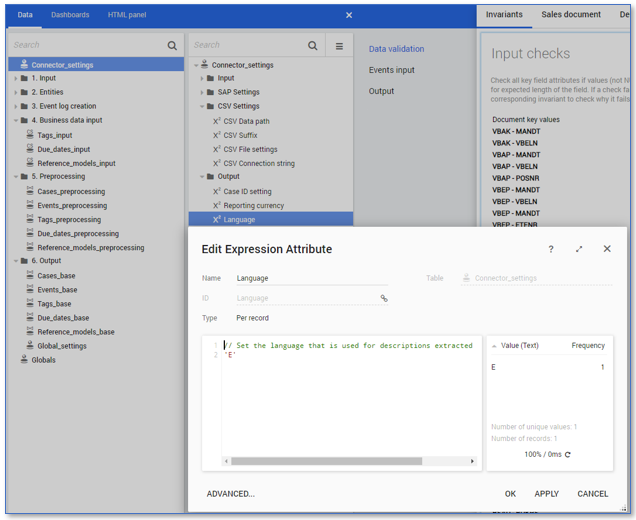
SAP tables that have Language key defined by the SPRAS field can contain textual descriptions in multiple languages. By default, the language in which data is extracted from the SAP-tables is set to English ('E') . If you want to extract the textual descriptions in another language this can be set in the Language expression in the Output folder in the Connector_settings table.
Follow these steps to change the extraction language.
| Step | Action |
|---|---|
| 1 | Go to the Data tab and select the Connector_settings table. |
| 2 | Double click on the Language expression in the Output folder. |
| 3 | Replace 'E' by the desired language setting. See illustration below. |
| 4 | Click on OK. |
Case ID
By default, the Sales Order item is tracked by the Order-to-Cash Sales from Stock process. However, the <<SAPO2CA1>> enables you to track the Delivery item, the Invoice item or the Accounting Document instead by defining one of these entities as the Case ID. The document to be used for the Case ID can be specified in the Case ID setting expression in the Output folder in the Connector_settings table.
Follow these steps to set the Case ID.
| Step | Action |
|---|---|
| 1 | Open the <<SAPO2CA1>> in your development environment. |
| 2 | Go to the Data tab and select the Connector_settings table. |
| 3 | Double click on the Case ID setting expression in the Input folder. |
| 4 | Switch the Case ID to the ID of the document you want to use to determine the Case ID. See illustration below. |
| 5 | Click on OK. |
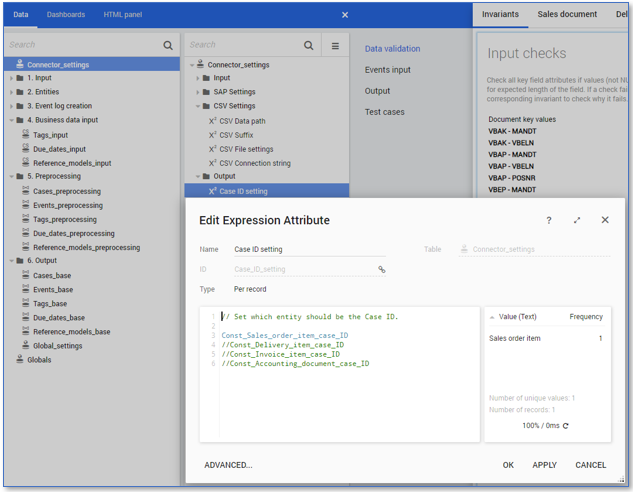
For Deliveries, Invoices and Accounting documents there might be no master data available at this time which implies that additional information on these process entities can be missing or incomplete. Also note that Tags and Due dates are implemented from a Sales Order perspective and not from Deliveries, Invoices and/or Accounting perspective.
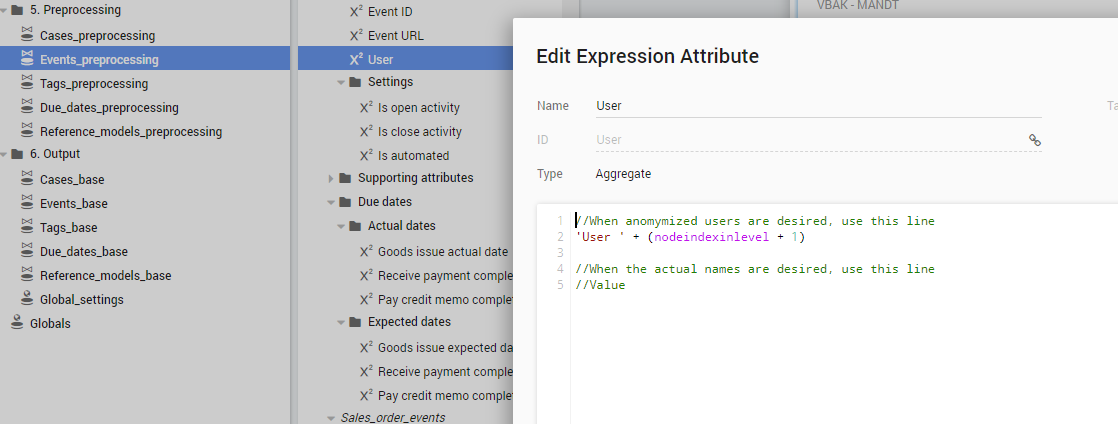
Anonymization
By default, user names are anonymized in the SAP Order-to-Cash Connector for AppOne data. When you need to use the actual names of users you can define this in the User expression in the Events_preprocessing table. See illustration below.