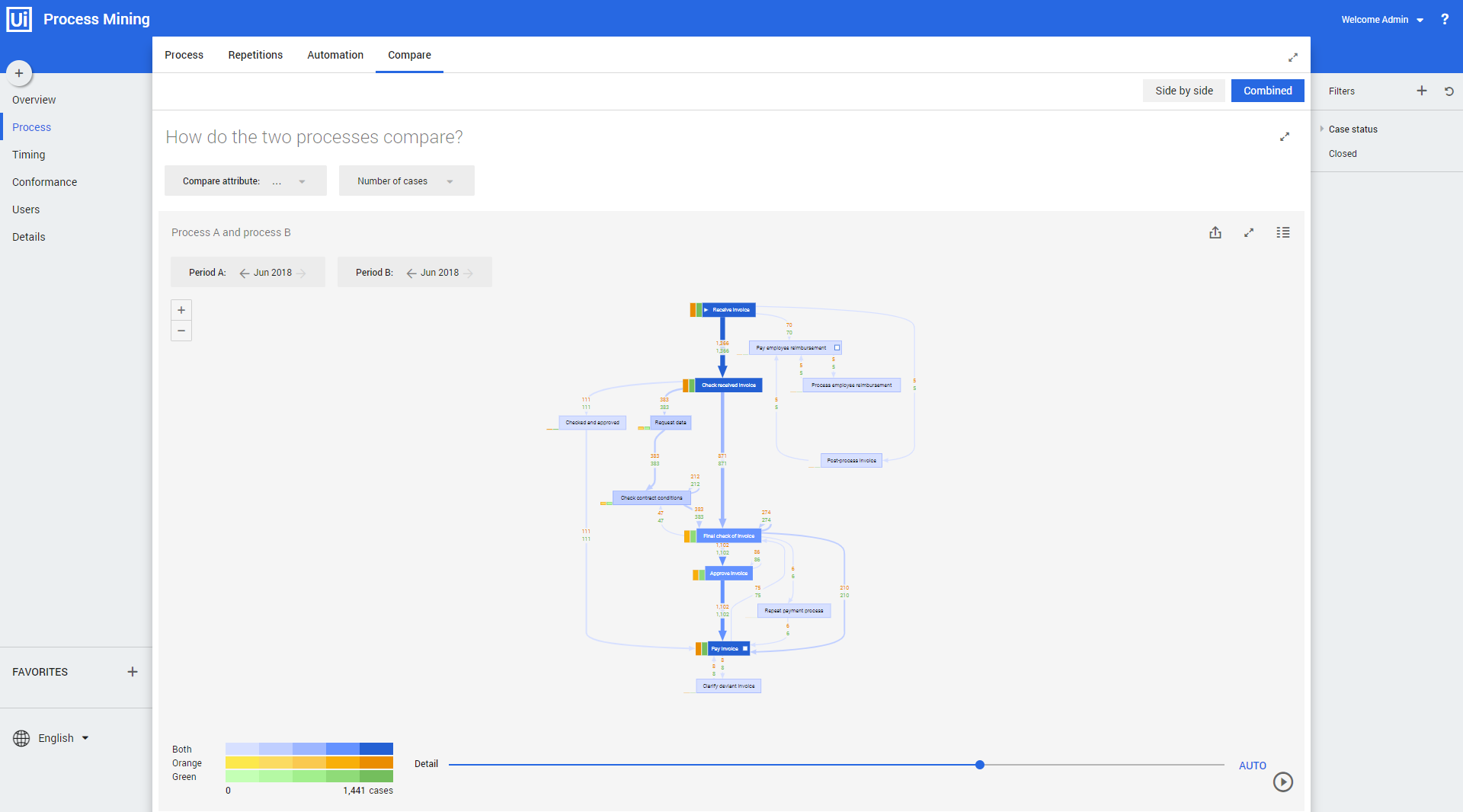
Process - Compare
Introduction
The dashboards Process – Compare – Side by side and Process – Compare – Combined are meant to compare two sets of paths from your process.
You can select the attribute you want to use for the comparison from the Compare attribute selector.
See also Working with Process Graphs
Compare - Side by Side
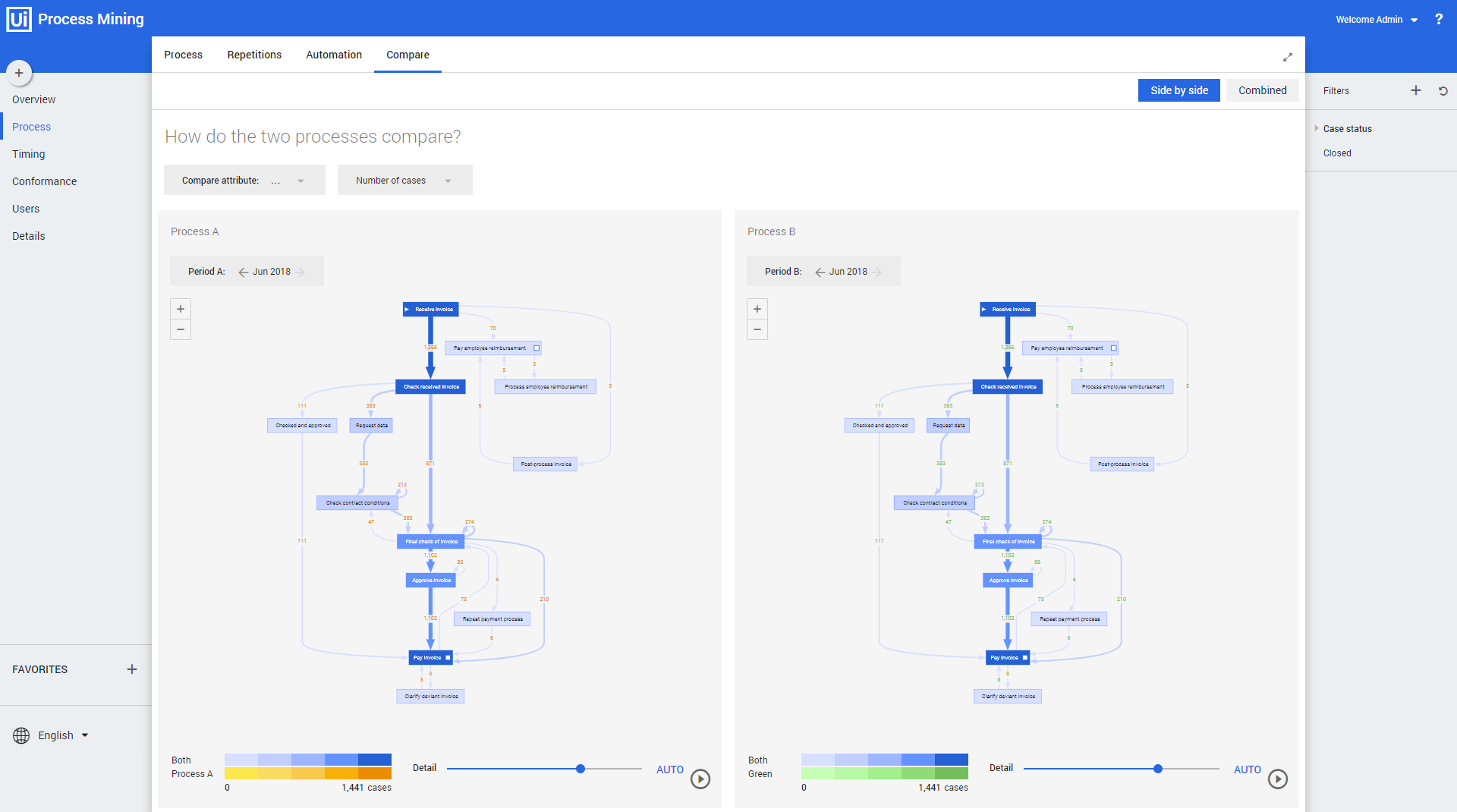
The Compare - Side by side dashboard shows the two sets of paths next to each other. See illustration below.
Compare - Combined
The Compare - Combined dashboard combines the process sets in one graph and shows the overlap and differences between the processes in different colors. See illustration below.