Setting collapsible charts
Introduction
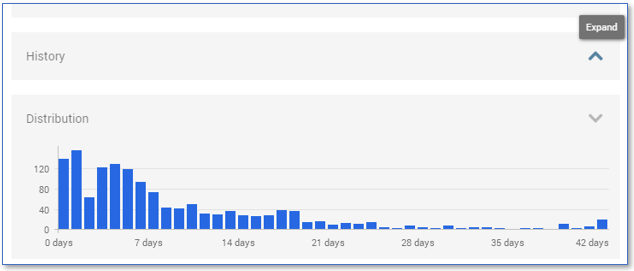
By default, History and Distribution charts in AppOne are collapsed when AppOne is opened with a dataset that contains more than 10 Million events.
The end-user can expand the charts when needed for analyzing purposes.
See the illustration below.
Whether the History and/or Distribution charts are collapsed by default can be set in the Basic Connector.
Changing the default setting for collapsible charts
Follow these steps to change the default setting.
| Step | Action |
|---|---|
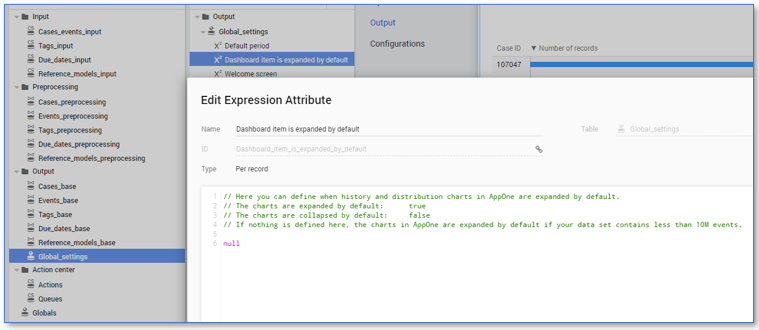
| 1 | Go to the Data tab and click on the Global_settings table. |
| 2 | Double-click on the Dashboard item is expanded by default expression. The Edit Expression Attribute dialog is displayed. |
| 3 | Set the expression to: • true if you want to expand the charts by default • false if you want to collapse the charts independent of the number of events in the dataset. Click on OK. See illustration below. |