Steps to roll-out TemplateOne
Introduction
This page describes the necessary steps to roll out a customized version of TemplateOne to end-users. It starts with the input data and covers all the steps that are needed to provide the data in a meaningful way to end-users.
From data to dashboard
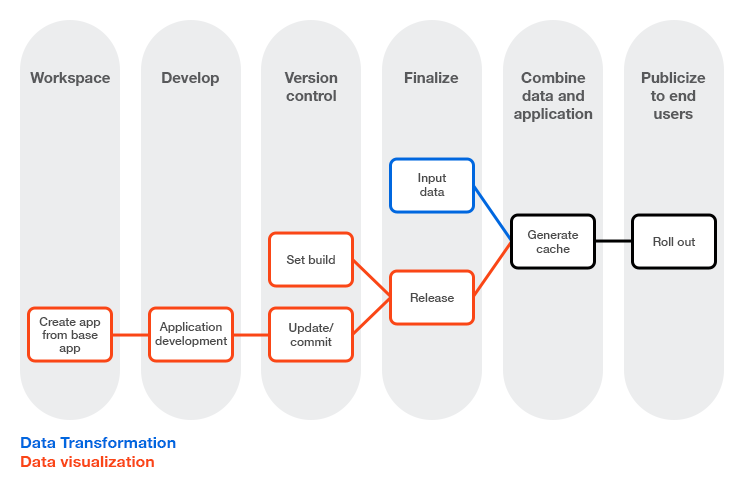
Input data
Data visualization
Step 1: Create a new app and use the latest version of the app or discovery accelerator as the base app.
Step 2: Make the desired changes, such as creating new dashboards and charts, to customize TemplateOne to your needs. See App and Discovery accelerator development.
Step 3: Set the build version - Setting a version number Step 4: Commit your changes.
Step 5: Create a release.
If you did not make any changes to TemplateOne, it is not needed to create a new release.
Steps to roll out TemplateOne
Step 6: Generate a cache with the created release.
Step 7: Deploy the release to make the changes available to end-users.