The Superadmin users tab
Introduction
The Superadmin users tab enables you to create and manage accounts for developers. Superadmin users can be added or deleted and the password and IP-address can be changed for existing users.
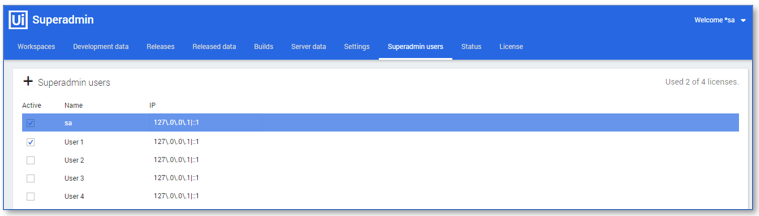
Below is a description of the elements of the Superadmin users tab.
| Element | Description |
|---|---|
| Superadmin users menu | Enables you to create a new Superadmin user. |
| Used X of X licenses | To total number of available licenses and the number of active users. |
| Active | Indicates whether the user is an active user. |
| Name | The login name of the Superadmin user. |
| IP | The IP address, or the set of addresses, from which the Superadmin user the user is allowed to connect. |
Superadmin users context menu
There is also a context menu with options available for the selected Superadmin user. See illustration below.
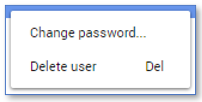
Below is a description of the options available from the Superadmin users context menu.
| Menu item | Description |
|---|---|
| Change password... | Enables you to change the password of the selected Superadmin user. |
| Delete | Enables you to delete the selected Superadmin user. |
note
You can change the IP address of a user by hovering over the IP address that is to be changed and than clicking on the pencil icon that appears in front of the IP.
See also Creating Accounts for Developers.