Embed conversational agents
You can embed a conversational agent directly inside a UiPath App or any third-party application using an IFrame. This allows users to easily interact with agents without leaving the application.
Embedding conversational agents in UiPath Apps
- Create and publish a conversational agent.
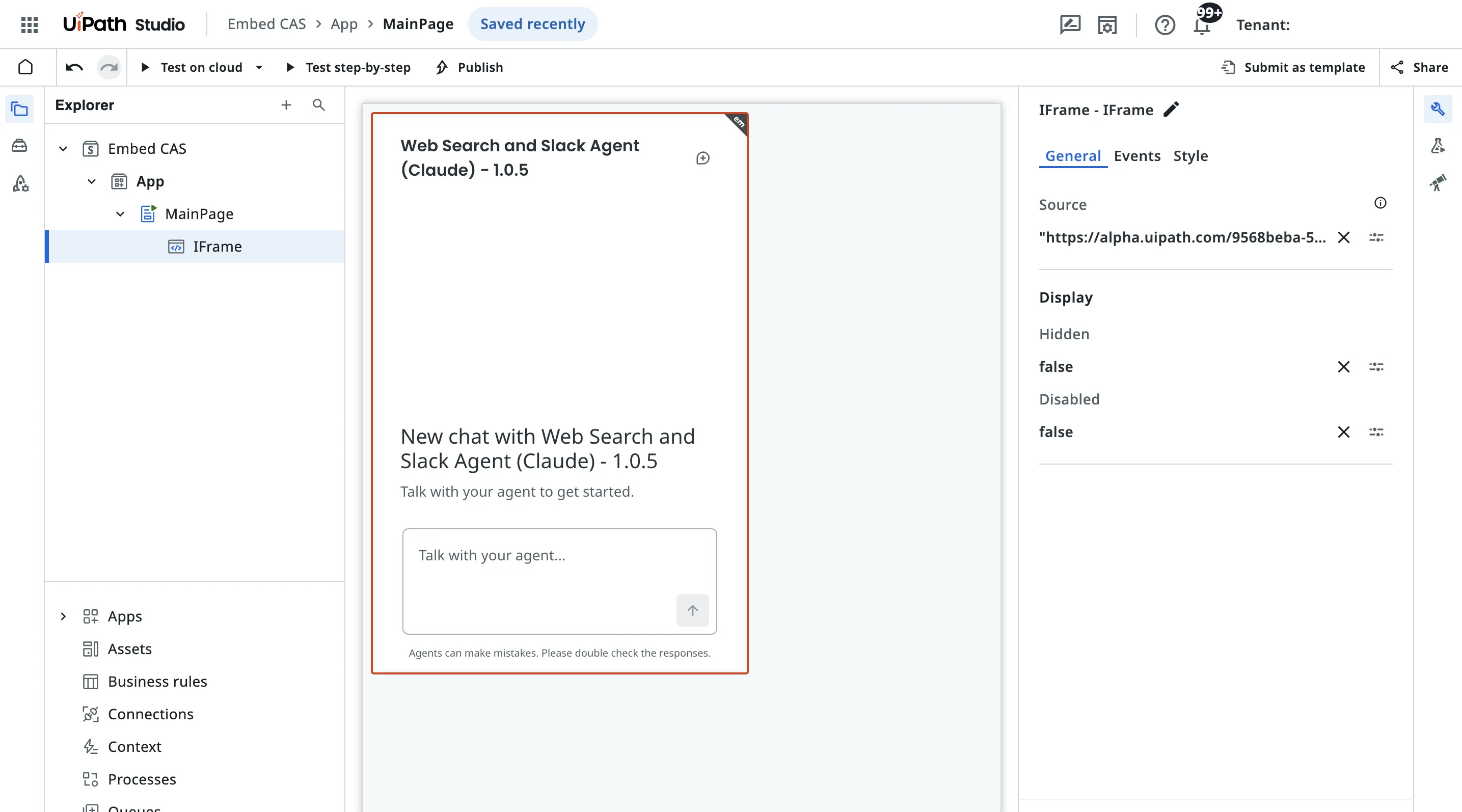
- Open your app project in Studio and add an IFrame component to your page.
- Set the IFrame source URL using the following format:
"https://<cloud_env>.uipath.com/<organization>/<tenant>/autopilotforeveryone_/conversational-agents/?agentId=<agent_id>&mode=embedded&title=<title>&welcomeTitle=<welcome_title>&welcomeDescription=<welcome_description>&suggestions=<suggestions>"importantThe Organization and the Tenant may be the agent's ID or the agent's Name
Required parameters
- agentId: Release ID of the published of the published conversational agent.Optional parameters
- mode - Can be
embeddedorfullscreen(default value isfullscreen). - title - The title of the chat component. Defaults to the name of the Agent.
- welcomeTitle - First run experience title displayed in the middle of screen. Defaults to an empty string
''. - welcomeDescription - First run experience description. Defaults to an empty string
''. - suggestions - First run experience suggestions. Defaults to an empty array
[]. Example:["Hi, what can you do", "Hello, how are you"].noteTo test on browser directly, wrap in one set of double quotes. For Apps embedding, wrap in two sets of double quotes.
- showHistory - Show history panel. Defaults to
true. - jobStartOverrides - Overrides for the conversational-agent jobs that run when serving the conversation. When not passed in or when
runAsMeis undefined, CAS will run the job with default job-start settingsRunAsMe: false. Example:jobStartOverrides={"runAsMe":true}noteTo test on browser directly, wrap in one set of double quotes. For Apps embedding, wrap in two sets of double quotes.
Example URL for embedding conversational agents in Apps
"https://<cloud_env>.uipath.com/<organization>/<tenant>/autopilotforeveryone_/conversational-agents/?agentId=<agent_id>&mode=embedded&title=Conversational Agents&welcomeTitle=Welcome to conversational agents&welcomeDescription=Talk with your agent to get started&suggestions=[""Hi, what can you do"", ""Hello, how are you""]"
4. Publish your app. Your agent is now embedded and ready to use.
Embed conversational agents in third-party party services
- Create and publish a conversational agent.
- Add an
<iframe>element to your application where you want the conversational agent to appear. - Set the IFrame source attribute using the following format:
"https://<cloud_env>.uipath.com/<organization>/<tenant>/autopilotforeveryone_/conversational-agents/?agentId=<agent_id>&mode=embedded&title=<title>&welcomeTitle=<welcome_title>&welcomeDescription=<welcome_description>&suggestions=<suggestions>"
FAQ
How do you retrieve the agentId?
- Navigate to Agents > Conversational Agents, open your agent, and copy the
agentIdfrom the URL.
Is there a way to make Conversational Agent public?
- Not yet. Public access requires additional work related to authentication, security, and licensing.
Is it possible to inject some context to the client?
- Support for injecting inputs into Conversational Agents is in development.