Spacing Out Controls
Controls and containers can be spaced out using the attributes in the Margin and Padding sections.
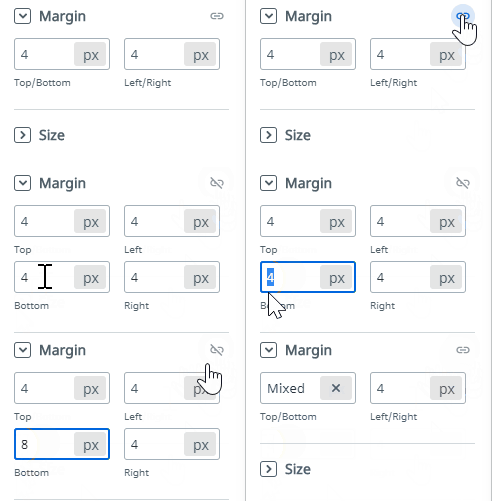
Margins provide spacing around the controls.
Paddings provide spacing between the control and the content within it.
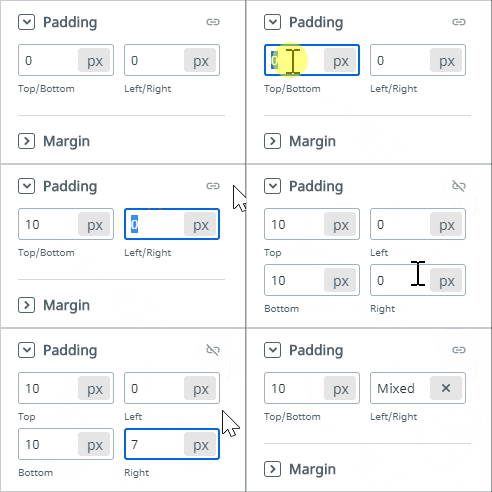
To detach the Top/Bottom and Left/Right values and set them independently, click the Link button at the right of the Margin/Padding section.
note
You can set the margin and padding of Container controls, while for the majority of the controls you can only set margin.