Automating applications running in AppContainer mode
Description
Automating an application running in AppContainer mode fails by default.
Cause
The application running in AppContainer mode is trying to access files from C:\Users\User\.nuget\packages\uipath, but it doesn't have access to that folder.
Solution
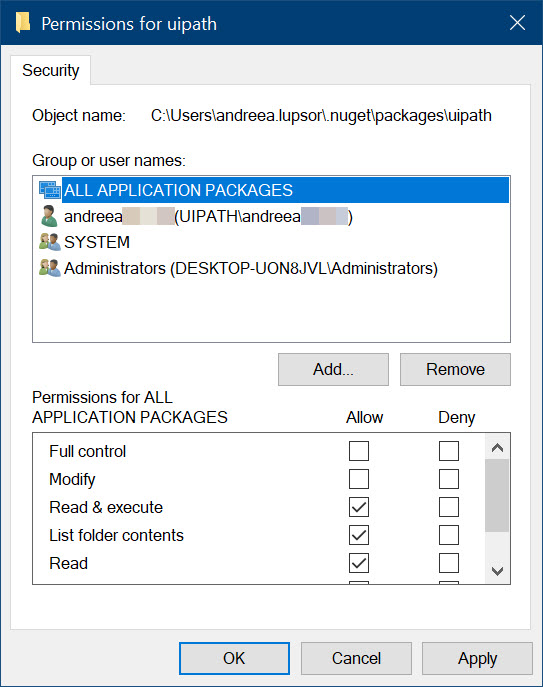
You need to grant a specific user (ALL APPLICATION PACKAGES) Read & execute permissions for the UiPath NuGet folder of the current user.
To do so, follow these steps:
- In Windows Explorer, go to
C:\Users\User\.nuget\packages. - Right-click on the
uipathfolder. The folder Properties window appears. - Go to the Security tab.
- Add the
ALL APPLICATION PACKAGESuser and grant them Read & execute permissions. - Click Apply and close the Properties window.
You can now automate applications running in AppContainer mode.