Over HTTPS
When cloning a remote GIT repository or copying the current project to an existing GIT repository using HTTPS for the first time, you must provide your GIT credentials.
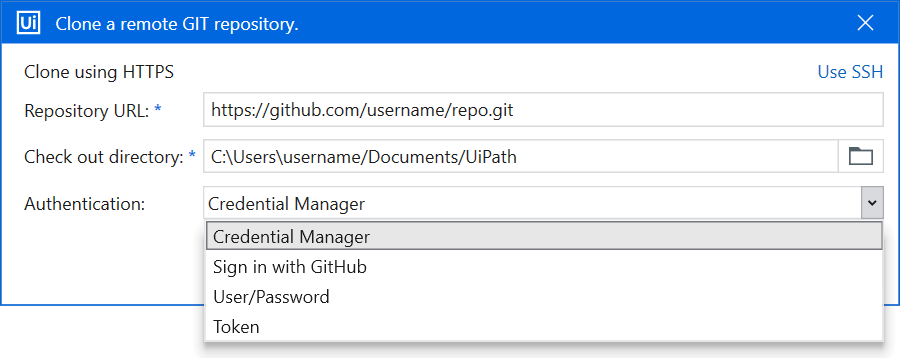
You can authenticate using the following options:
- Credential Manager - Use credentials saved in Windows Credential Manager.
- Sign in with GitHub - Sign in with your GitHub account.
- User/Password - Enter your user and password.
- Token - Enter your user and personal access token. Follow the steps detailed in this page to generate a GIT token for your GitHub repository.
important
The Sign in with GitHub option is available only for repositories hosted on github.com and requires the UiPath GitHub App to be installed in your organization or account.