ST-USG-032 - Required Tags
Rule ID: ST-USG-032
Scope: Project
Description
The rule verifies if the project is missing any tags that are required by your organization.
Recommendation
Add the required tags. In the Project panel, select  to open the Project Settings window, and then select the General tab.
Modifying the Rule
In the Project Settings window, select the Workflow Analyzer tab. Find the rule and select the rule, as in the image below:
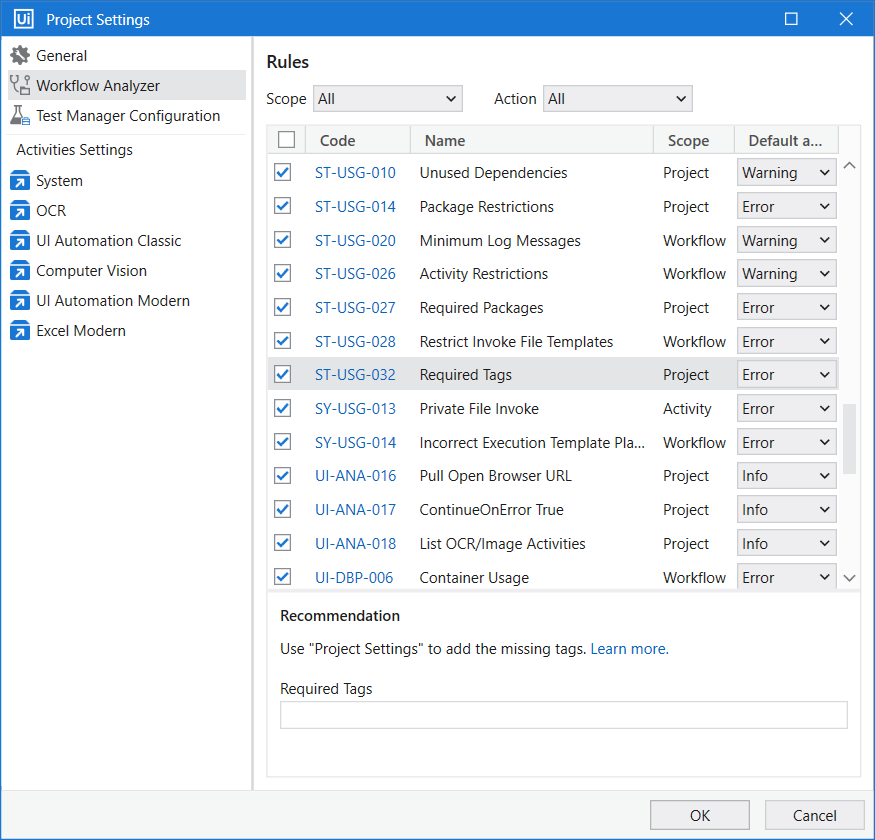
In the Required Tags field., add a list of required tags separated by a comma (,).
Reset to Default
By default, the rule does not require any tags. To reset it to default, right-click the rule in the Project Settings window, and then click Reset to default. The Default action is also reset to its default value Error.