Project management
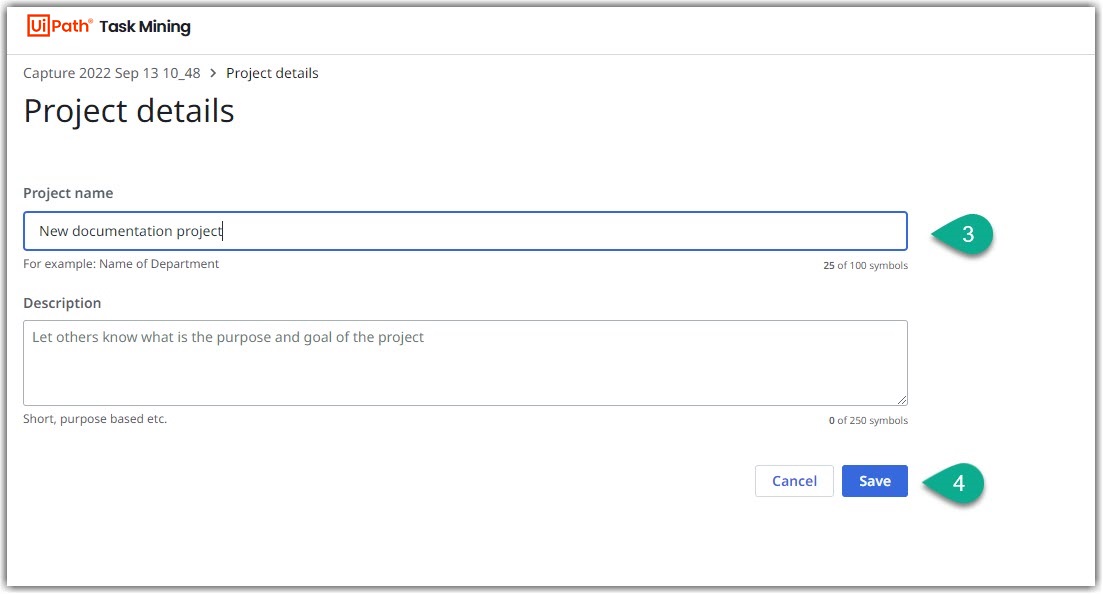
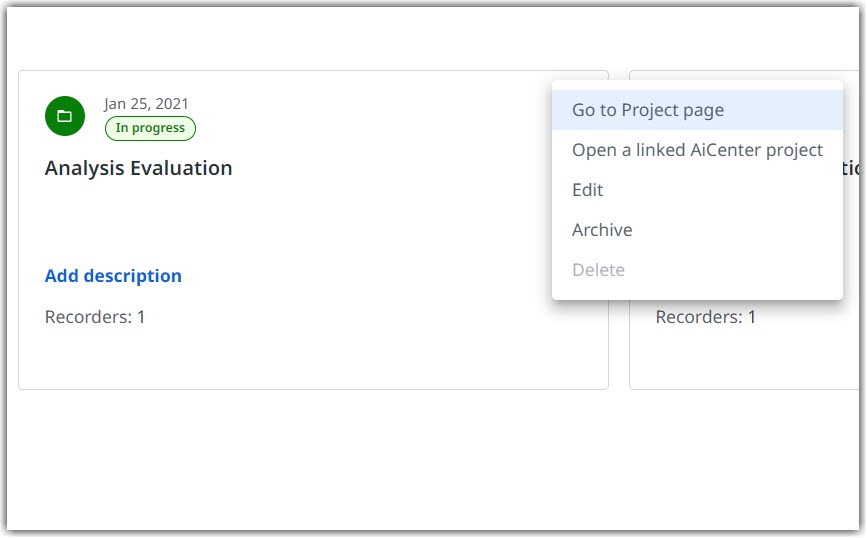
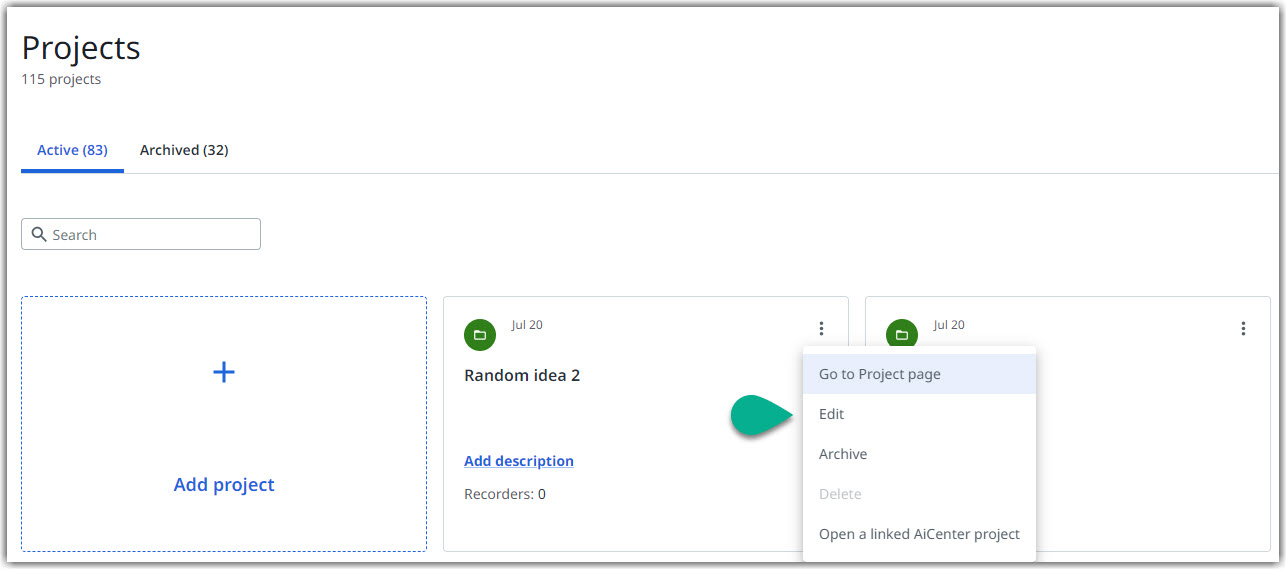
For each of your projects, you have the option to view and edit its Name and Description by selecting the Edit option in the project menu or review the project progress through its specific Dashboard page by accessing the Go to Project page.
-
Open a linked AiCenter project lets you open the respective project in AiCenter.
-
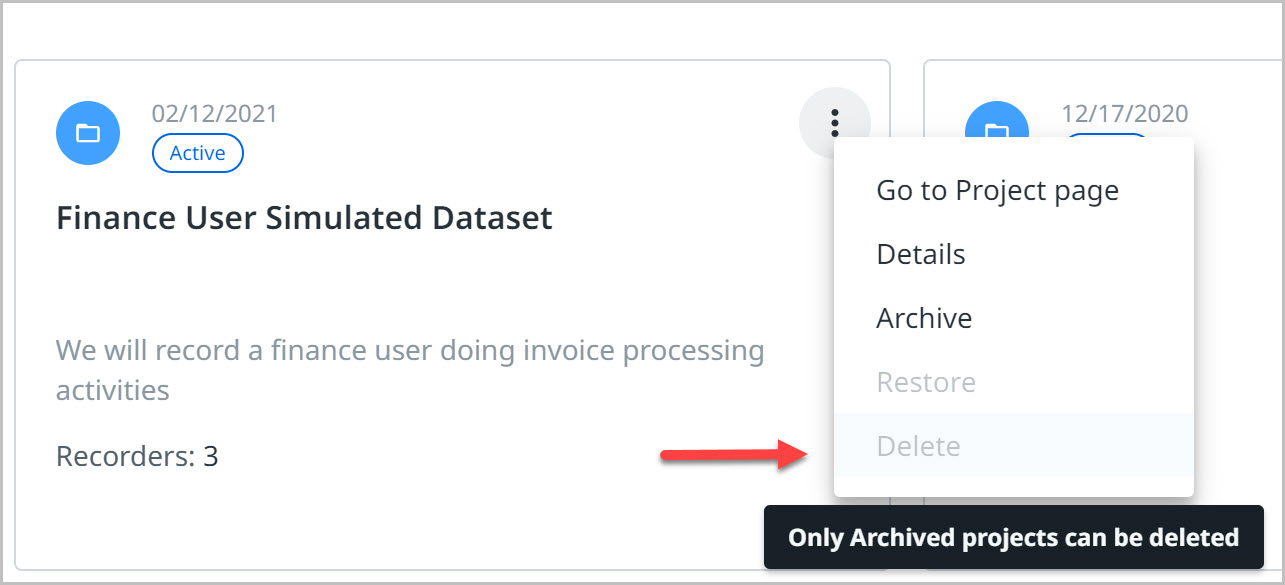
Delete option provides the ability to delete a project. Once a project is deleted, it cannot be recovered.
-
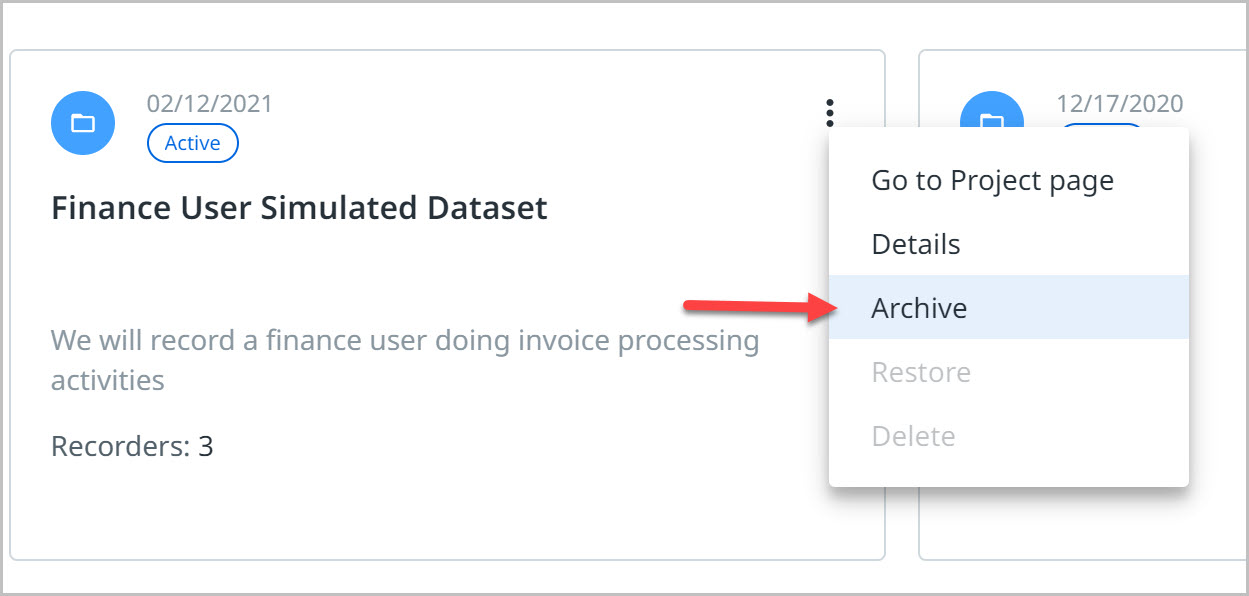
Archive option lets users archive the project and any other information added or captured will not be integrated in the respective project.
-
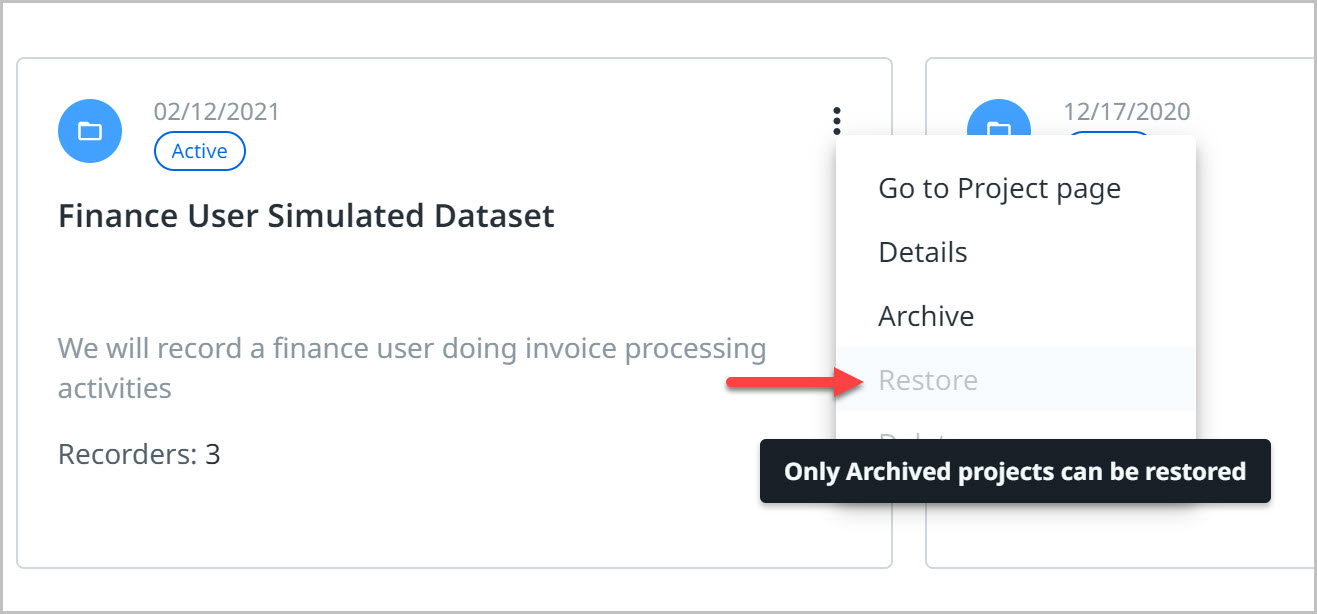
Restore is available only on Archived projects and lets users enable the project and continue to add information.
Renaming a project
To rename an existing project follow the steps below:
-
In the Web Discovery Portal select the project you wish to rename.
-
Select Edit.
-
Rename your project in the Project Name box and select Save. If needed, you can also add some details about the project in the Description box.