Setting up the Uploader
To upload the recorded data, you as the Company Admin, need to set up the Uploader.
To do this follow the below steps:
Downloading the StudyUploader.zip
- Access the StudyUploader.zip file: StudyUploader.zip file.
- Select the location where you want the StudyUploader.zip to be downloaded.
- The ZIP file includes the following information:
-
the JSON containing the configuration
-
the StudyUploader executable.

-
- Right-click the ZIP file and select Extract All... to extract the compressed folders.
Downloading the NET runtime
-
Access .NET runtime 5.0 (x64).
-
Select the location where you want the dotnet-sdk-5.0.403-win-x64.exe to be downloaded.
-
Wait for the .exe to be downloaded. This should take less than a minute.
-
Access the .exe location from your PC. Double click it.
-
The installation pop-up is displayed. Select Install.
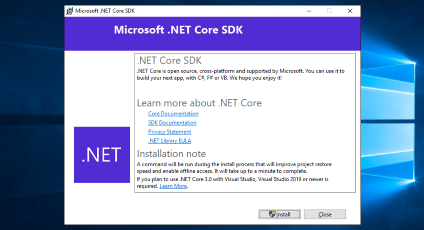
-
Wait for the installation to be completed.
-
As soon as the installation is completed click Close.