Configuring a Relay group
Create a Relay Group in UiPath Administration to register your on-premises endpoints and generate the configuration used by the Relay client.
Prerequisites
- Organization Administrator or Tenant Administrator role in Automation Cloud.
Tip: To grant users view-only access to Relay Groups, create a custom role with the Centralized Access Administrator Page permission and assign it using the Manage access tab in UiPath Administration. This allows users to view Relay Groups without modify permissions.
Steps
-
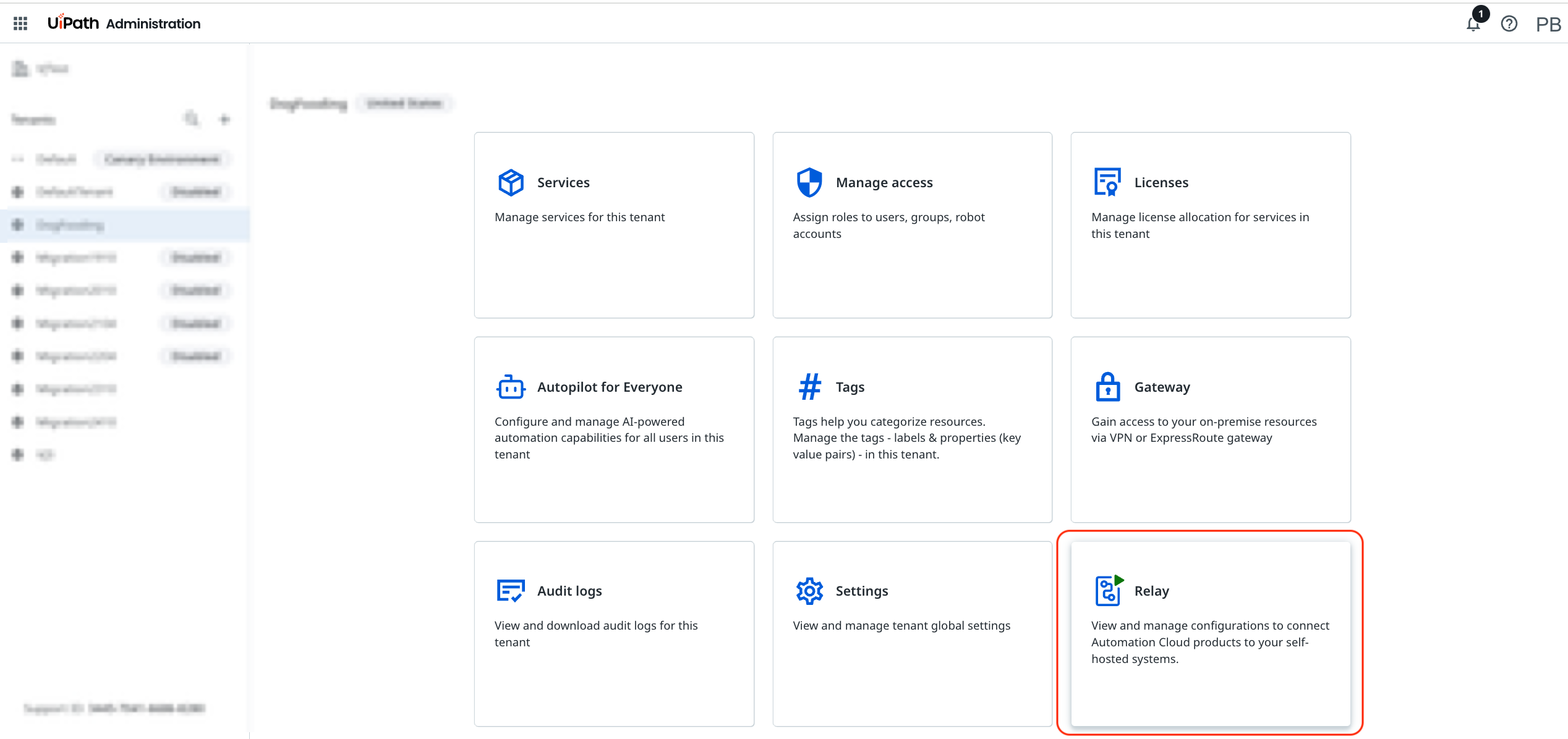
In UiPath Administration, select your tenant and select the Relay tile.
-
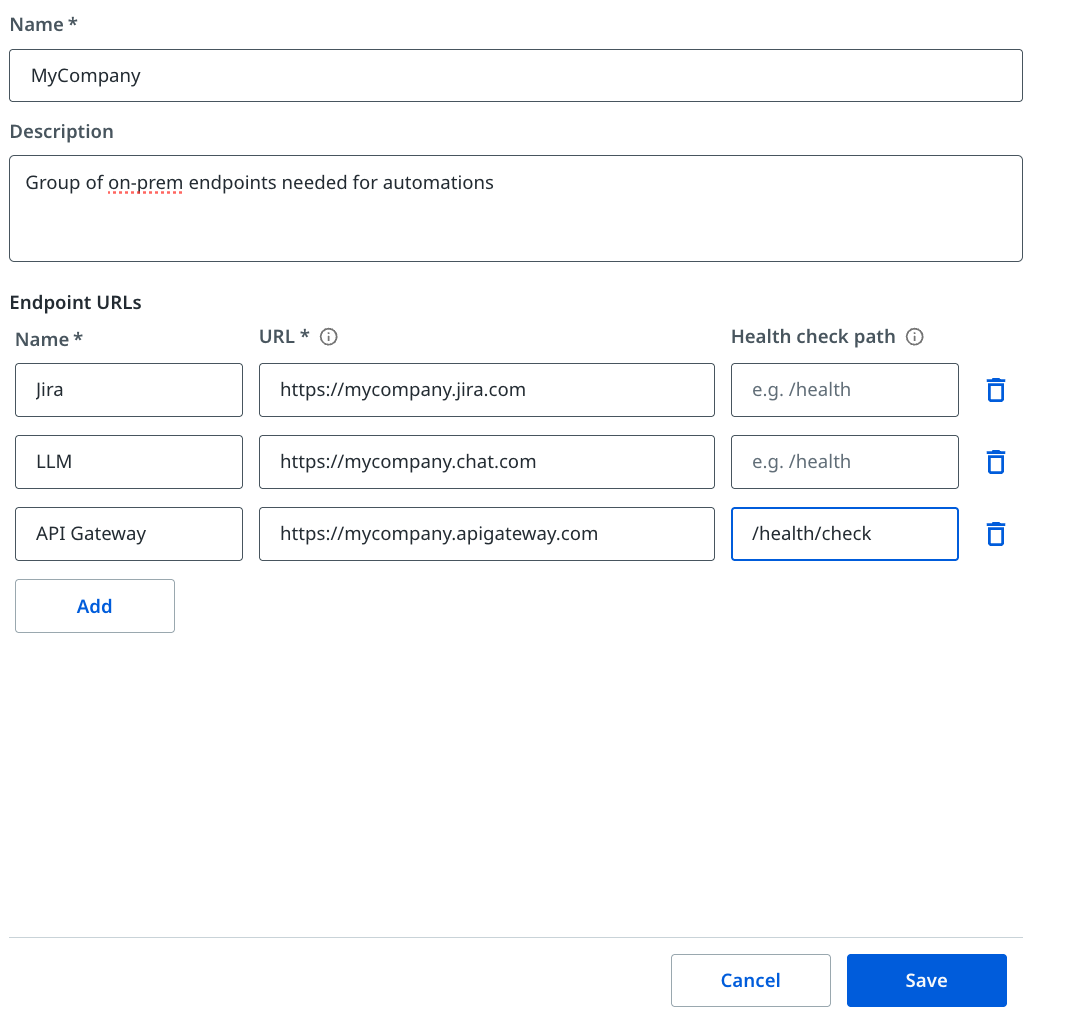
Select Add Relay in the upper-right corner.
-
Fill in the relay group details and add one or more endpoint URLs. Required fields are marked with an asterisk in the UI.
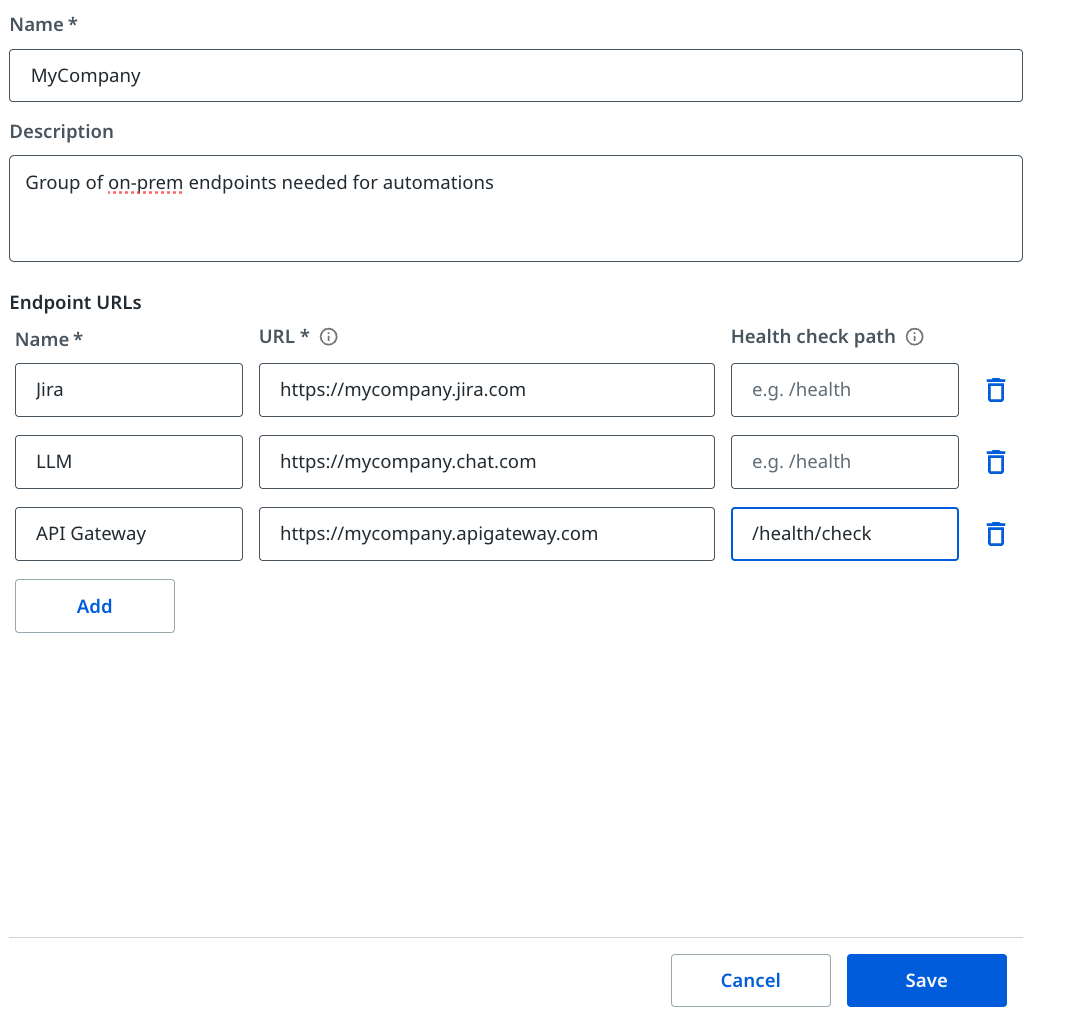
Optionally, enter a Health check path — an HTTP path on the target service, such as
/healthor/status. The relay calls this path periodically with a GET request. A2xxresponse indicates the endpoint is healthy. If the check fails repeatedly, the relay stops forwarding traffic to that endpoint until it recovers. If omitted, the relay falls back to a TCP port-reachability check, which confirms the port is open but cannot detect application-level failures. -
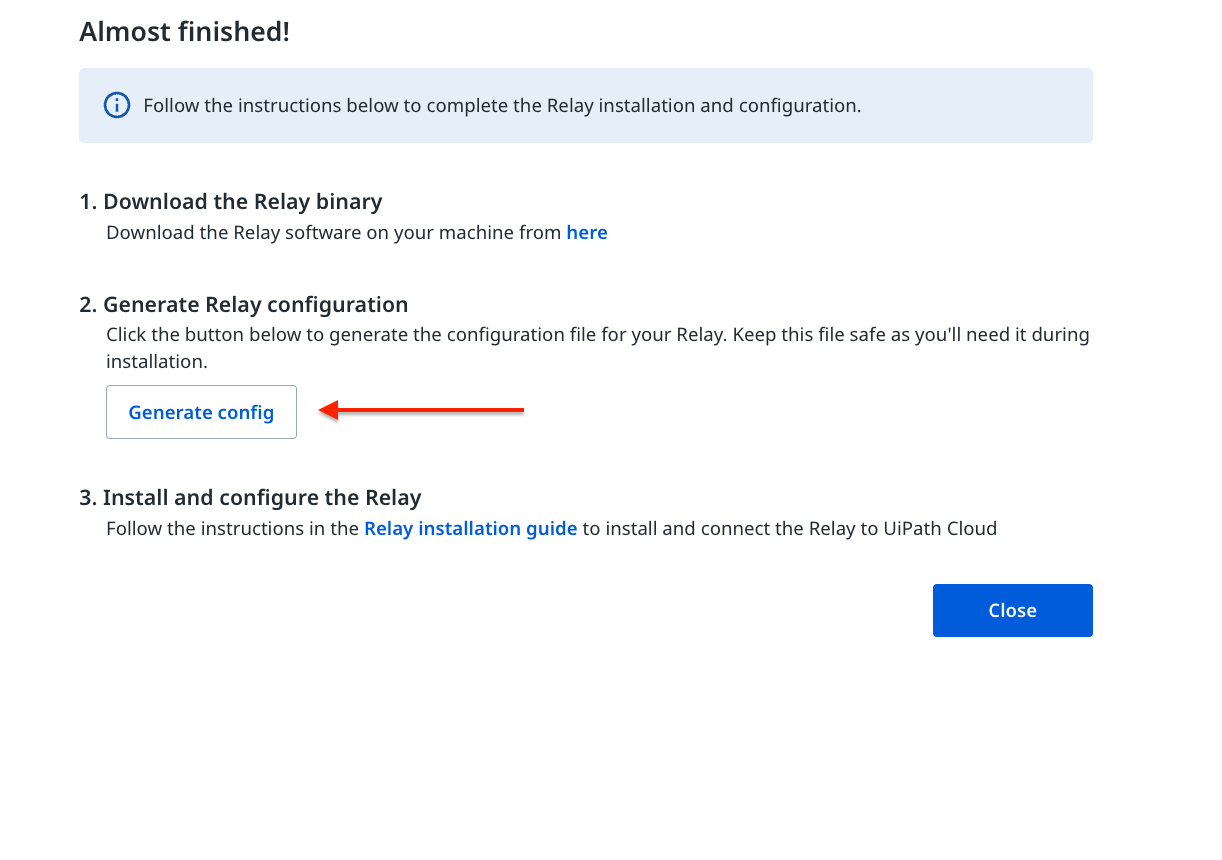
Select Save, then select Generate config on the confirmation page.
-
Copy the configuration string and save it to a file on the machine where you plan to install the Relay client.
Important: Treat the configuration file as a secret. It contains the credentials that authenticate the Relay client to Automation Cloud.
Note: You can edit the Relay Group at any time to add, remove, or modify endpoints.
Result
The Relay Group is created and the client configuration is ready. Each registered endpoint has been assigned a private Relay URL that UiPath cloud services use to route requests through the relay infrastructure.
Next, install and start the Relay client on a machine inside your network. See Deploying the Relay client.