Other API access methods
Feature availability depends on the cloud platform that you use. For details, refer to the Feature availability page.
You use API keys to establish a connection between the UiPath® platform and other applications that are external to it. External applications can be either UiPath desktop applications, or third-party applications.
API access is available only for Document Understanding and AI Computer Vision.
Document Understanding
The API key for Document Understanding is available on the Admin > Licenses > Consumables > AI units page:
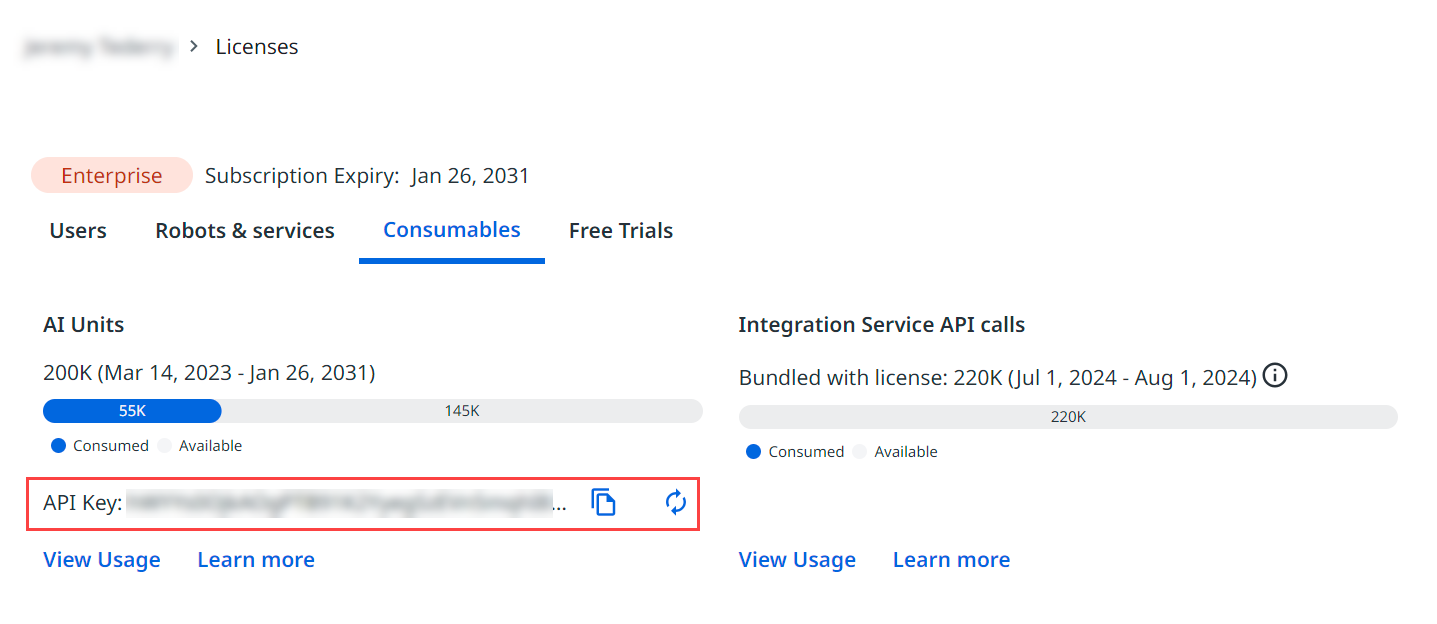
From here, you can:
- Copy the key for use in external applications.
- Click the refresh icon to generate a new key.
important
Generating a new key renders the old key invalid. Any external applications that used the old key cannot connect to Automation Cloud any more.
For more information, see API Key in the Document Understanding documentation.
Computer Vision
The API key for Computer Vision is available on the Admin > Organization > Licenses > Robots & Services page.

From here, you can:
- Copy the key for use in external applications.
- Click the Refresh icon to generate a new key.
important
Generating a new key renders the old key invalid. Any external applications that used the old key cannot connect to Automation Cloud anymore.
For more information, see Computer Vision .