Audit logs for the host portal
The audit logs from the host portal capture the main actions performed by system administrators so that you can track who changed what, and when.
Viewing audit logs
To view the audit logs, sign in to the host portal as a system administrator, make sure that Host is selected at the top of the left pane, and then select Audit Logs.
This page lists the actions performed by system administrators strictly within the host portal.

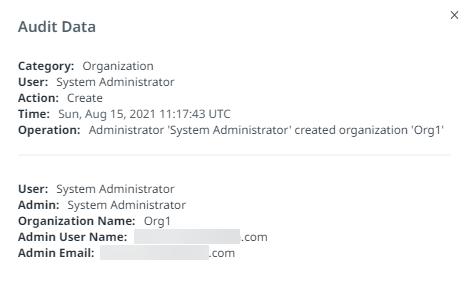
Select Open at the right of a row to open the Audit Data dialog and view details for that log entry:
Downloading audit logs
If you would like to store older logs or back them up, you have the option to download the logs as a CSV file.
To download host-level audit logs:
- Sign in to the host portal as a system administrator.
- Make sure that Host is selected at the top of the left pane, and then select Audit Logs.
- In the top right, select Download.
A download begins for the file uipath_portal_auditlog_DD_MM_YYYY DD_MM_YYYY.csv.