Enabling activity coverage
note
You can use this feature only if your Test Manager is connected to Orchestrator 2023.10 or higher.
To enable the activity coverage of an existent test set in Test Manager, perform the steps below:
- Open the test set for which you want to enable activity coverage.
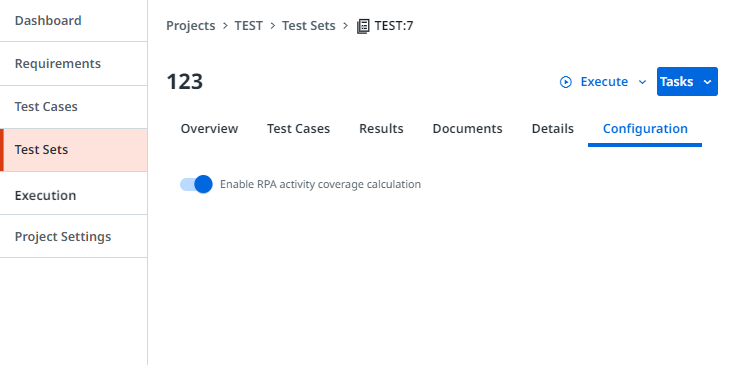
- Go to the Configuration tab.
- Select Enable RPA activity coverage calculation.
Figure 1. Enable RPA activity coverage calculation setting enabled
What to do next: For this test set, you can now select Execute then Automated, and check under Execution to see the activity coverage.
note
For test sets linked from Orchestrator, you can enable or disable the activity coverage only in Orchestrator.